Customer service automation for UK small businesses
You’re on a job. Your phone rings. You can’t answer. That customer calls your competitor instead.
For plumbers, electricians, roofers and other UK tradespeople, this is a familiar problem.
You might be working in a loft, repairing a boiler, driving between jobs or speaking to another customer. Answering every call simply isn’t realistic.
But when somebody needs a quote or wants to arrange a repair, they may not wait until you finish work and call them back.
That’s where automated customer follow-up can help.
Instead of leaving a missed caller waiting, an automated system can send a text message within a few minutes, acknowledge their enquiry and give them a way to explain what they need.
At BAMSH, our AI Lead Engine uses CRM automation built around GoHighLevel (GHL) to help trade businesses respond to enquiries, organise follow-ups and stay in contact with potential customers.
It doesn’t replace the tradesperson or promise to answer every technical question. It handles the repetitive communication that often gets missed during a busy working day.
This guide explains how missed-call automation works, what BAMSH can set up during the first 48 hours and how CRM automation can help UK trade businesses manage more enquiries without constantly checking their phones.
Key Takeaways
-
Automated customer follow-up helps tradespeople acknowledge missed calls and new enquiries when they cannot respond personally.
-
BAMSH’s AI Lead Engine uses GHL to support missed-call text-back, enquiry responses, follow-up sequences and review requests.
-
A missed-call text can be configured to send within approximately five minutes, subject to successful delivery and the workflow settings.
-
A five-day follow-up sequence helps businesses maintain contact with suitable enquiries without relying on memory.
-
CRM automation is included within BAMSH’s AI Lead Engine, although the full service price should be confirmed before purchase.
-
Automation works best when routine messages are handled automatically and technical advice, complaints and important decisions remain with a real person.
1. What Is Automated Customer Follow-Up?
Automated customer follow-up uses software to respond to enquiries and send relevant messages based on actions or events.
For example, a customer calls a plumbing business at 7 pm.
The plumber is finishing a job and misses the call.
Without automation, the customer might leave a voicemail, send a message or simply try another business.
With a suitable missed-call workflow, the system detects the unanswered call and sends an acknowledgement.
The customer receives a message explaining that the business is currently unavailable and asking them to provide a few details.
The plumber can then review the enquiry and respond when available.
What Can CRM Automation Handle?
|
Customer Interaction |
Automated Action |
When a Person Takes Over |
|---|---|---|
|
Missed telephone call |
Send an acknowledgement text |
When the customer replies or requests assistance |
|
Website enquiry |
Confirm receipt and record the details |
When a quotation or technical answer is needed |
|
Unanswered quotation enquiry |
Send an appropriate follow-up reminder |
When the customer responds |
|
Appointment request |
Provide booking information or confirmation |
When scheduling requires judgement |
|
Completed job |
Trigger a review request after confirmation |
If the customer raises a concern |
|
General enquiry |
Provide approved basic information |
If the question is complex or sensitive |
The aim is not to automate every conversation.
It is to make sure routine communication continues while the business owner is working.
For more background, read our guide to automating lead follow-up.
2. The Missed-Call Problem: A Plumber Gets an Enquiry at 7 pm
Imagine a plumber in Bristol finishing a boiler repair.
At 7 pm, another customer calls because they have discovered a leak.
The plumber cannot answer.
Without Automation
The customer hears the phone ringing.
Nobody picks up.
They may leave a voicemail, but they don’t know when the plumber will respond.
They search for another plumbing company and call again.
By the time the original plumber checks their phone, the customer may already have arranged a visit.
With Missed-Call Automation
The call goes unanswered.
The CRM records the missed call and triggers a text-back workflow.
Within approximately five minutes, the customer receives a message.
Hi, thanks for calling [Business Name]. Sorry we missed your call. We’re currently working on another job.
Please reply with your name, postcode and a brief description of what you need, and we’ll get back to you as soon as possible.
If there’s an immediate danger, please contact the appropriate emergency service.
The customer now knows their call has been acknowledged.
They can explain what they need without having to keep calling.
The plumber can review the message when safe to do so.
This does not guarantee the customer will wait or book the job. However, it creates an opportunity to continue the conversation rather than leaving the missed call unanswered.
For urgent plumbing, electrical or gas emergencies, automation should never pretend that help has been dispatched or provide unsafe technical instructions.
3. How BAMSH’s AI Lead Engine Works for Trade Businesses
BAMSH’s AI Lead Engine combines CRM technology with automated communication workflows.
The system is designed to help businesses manage enquiries from the point of first contact through to follow-up and customer feedback.
The underlying CRM platform is GoHighLevel, commonly referred to as GHL.
Instead of keeping missed calls, website forms and customer conversations in separate places, the CRM provides a central location for tracking relevant interactions.
The Main Components
|
AI Lead Engine Component |
What It Does |
Business Benefit |
|---|---|---|
|
Missed-call text-back |
Sends an acknowledgement after an eligible missed call |
Reduces the risk of enquiries going unanswered |
|
Enquiry auto-response |
Confirms receipt of new website or other connected enquiries |
Gives customers an immediate acknowledgement |
|
Lead tracking |
Records enquiries and relevant communication |
Helps prevent missed follow-up |
|
Five-day follow-up sequence |
Sends scheduled messages where appropriate and permitted |
Improves follow-up consistency |
|
Customer qualification |
Collects basic information about the enquiry |
Helps prioritise relevant requests |
|
Review request trigger |
Sends a request after a job is marked complete |
Makes review requests more consistent |
|
Human handover |
Allows staff to take over when needed |
Keeps important decisions with the business |
The system’s usefulness depends on how well the workflows match the way the trade business actually operates.
A plumber handling emergency repairs needs different messages from a builder quoting for extensions.
The automation should reflect those differences.
4. What BAMSH Sets Up in the First 48 Hours
The initial setup focuses on the communication tasks most likely to be missed during a busy working day.
The following is the intended first 48-hour implementation process for a suitable trade business. Actual activation depends on access to the telephone system, CRM connections, messaging configuration and testing.
First 24 Hours: Capture and Acknowledge Enquiries
Step 1: Connect the enquiry channels
BAMSH reviews the business’s existing enquiry sources and connects supported channels to the CRM.
These may include telephone calls, website contact forms and other agreed communication routes.
The purpose is to establish where new enquiries are coming from and how they should be recorded.
Step 2: Configure missed-call text-back
The missed-call workflow is set up to recognise eligible unanswered calls and send a suitable acknowledgement.
The target is a text within approximately five minutes.
Messages should avoid promising an immediate call-back unless the business can realistically provide one.
Step 3: Configure enquiry auto-response
When a new enquiry arrives through a connected form, the customer receives a confirmation.
Hi [Name], thanks for contacting [Business Name]. We’ve received your enquiry and will review the details as soon as possible.
If there’s anything else we should know about the job, please reply to this message.
Thanks,
[Business Name]
This confirms receipt without pretending that the business has already assessed the work.
Hours 24–48: Follow-Up and Review Workflows
Step 4: Build the five-day follow-up sequence
BAMSH configures a sequence designed to maintain appropriate contact with enquiries that have not yet progressed.
The sequence should stop when the customer replies, opts out or the enquiry reaches a stage where further reminders are unnecessary.
Step 5: Configure the review request trigger
After a job is marked complete, the system can trigger a polite request for an honest Google review.
The request should go to genuine customers without selecting only those expected to leave positive feedback.
Step 6: Test the workflows
Before activation, the business should test missed calls, form submissions, replies, opt-outs and completed-job triggers.
This helps identify problems such as duplicate messages, incorrect contact details or follow-ups continuing after a customer has responded.
First 48-Hour Setup Summary
|
Timeframe |
Setup Task |
Intended Outcome |
|---|---|---|
|
Hours 0–12 |
Review and connect enquiry channels |
Enquiries enter the CRM correctly |
|
Hours 12–24 |
Configure missed-call text-back |
Eligible missed callers receive an acknowledgement |
|
Hours 12–24 |
Configure enquiry auto-response |
New form enquiries receive confirmation |
|
Hours 24–36 |
Build five-day follow-up sequence |
Suitable enquiries have a structured follow-up process |
|
Hours 24–42 |
Configure completed-job review trigger |
Genuine customers can be invited to leave feedback |
|
Hours 42–48 |
Test and refine workflows |
Check messages, triggers, replies and stopping rules |
These are implementation targets, not a guarantee that every telephone provider or existing business system can be fully integrated within 48 hours.
5. How the Five-Day Follow-Up Sequence Works
One missed enquiry is a problem.
But forgetting to follow up with somebody who has already asked for a quote can also cost a business work.
For example, a customer requests a quotation for a new bathroom.
The business replies once.
The customer is busy and doesn’t respond immediately.
A week passes, and nobody follows up.
A CRM can help organise these conversations so the business doesn’t rely entirely on memory.
Example Five-Day Follow-Up Structure
|
Day |
Follow-Up Action |
Purpose |
|---|---|---|
|
Day 1 |
Confirm the enquiry and explain the next step |
Reassure the customer |
|
Day 2 |
Send a polite reminder if appropriate |
Keep the conversation open |
|
Day 3 |
Ask whether further information is needed |
Identify obstacles |
|
Day 4 |
Offer a convenient way to continue |
Make replying easier |
|
Day 5 |
Send a final courteous follow-up |
Close the sequence without unnecessary pressure |
This is an example workflow. The exact timing and content should depend on the enquiry, customer expectations and applicable communication rules.
Example Follow-Up Message
Hi [Name], just following up on your enquiry about [service]. Let us know if you’d still like us to help or if you need any further information.
Thanks,
[Business Name]
The message is short and relevant.
It doesn’t pressure the customer or claim that a quotation has been prepared when it hasn’t.
Important: A customer enquiry does not automatically authorise an unrestricted marketing sequence. Follow-up messages must be appropriate to the original request, and promotional communications must comply with applicable UK privacy and electronic marketing rules.

6. What a Trade Business Looks Like Before and After Automation
The difference is not that automation suddenly creates more hours in the day.
It helps the business respond consistently when the owner is occupied.
Before and After CRM Automation
|
Business Activity |
Before Automation |
After Suitable Automation |
|---|---|---|
|
Missed calls |
Customer may receive no acknowledgement until the owner is free |
Eligible callers can receive an automated text-back |
|
Initial response time |
Depends on when the owner checks their phone |
Routine acknowledgement can be sent within minutes |
|
Website enquiries |
Messages may sit in an inbox |
Connected enquiries can be logged and acknowledged |
|
Follow-up consistency |
Relies on reminders or memory |
Agreed follow-ups can run automatically |
|
Customer information |
Spread across calls, texts and emails |
Relevant records can be organised in the CRM |
|
Review requests |
Often forgotten after the job |
Triggered when a job is marked complete |
|
Complex questions |
Handled personally |
Still passed to a suitable person |
|
Enquiry tracking |
Difficult to see what needs attention |
Easier to identify outstanding conversations |
These are differences in process, not measured performance results from a particular BAMSH client.
What About Google Reviews?
Many tradespeople complete good work but rarely ask customers for reviews.
A completed-job trigger can make that request part of the normal workflow.
For example:
Hi [Name], thanks for choosing [Business Name]. We hope you’re happy with the work.
If you have a spare minute, we’d really appreciate an honest Google review about your experience.
[Google Review Link]
Thanks again!
The system can send the request after the business confirms that the work is complete.
However, it cannot guarantee that customers will leave reviews, or that the reviews will be positive.
The value is in making the request consistent.
7. How Much Does Customer Follow-Up Automation Cost Compared With Hiring Someone?
One option for a busy trade business is to hire somebody to answer calls and manage enquiries.
Another is to automate suitable routine communication and continue handling important conversations personally.
These approaches are not identical.
A part-time employee can answer complex questions, manage schedules and speak directly with customers.
CRM automation can acknowledge enquiries, send reminders and organise information, but it cannot replace every task performed by an experienced administrator.
Cost Comparison
|
Cost or Capability |
Part-Time Follow-Up Administrator |
BAMSH CRM Automation |
|---|---|---|
|
Indicative monthly cost |
£800–£1,200 |
Included within AI Lead Engine |
|
Separate automation fee |
Not applicable |
No separate fee within the AI Lead Engine package |
|
Full AI Lead Engine price |
Not applicable |
Confirm with BAMSH |
|
Missed-call acknowledgement |
When the employee is available |
Automated for eligible calls |
|
Out-of-hours acknowledgement |
Requires appropriate staffing |
Can run outside normal hours |
|
Five-day follow-up process |
Managed manually |
Can be configured automatically |
|
Review requests |
Sent manually |
Can be triggered after job completion |
|
Complex customer conversations |
Can be handled by the employee |
Requires human involvement |
|
Staff supervision |
Required |
Workflow monitoring still required |
The £800–£1,200 monthly staffing figure is an illustrative estimate from the content brief, not a verified UK-wide employment-cost benchmark. Actual staffing costs depend on hours, pay, employer contributions and other expenses. The full AI Lead Engine subscription price was not supplied.
Is Automation Cheaper Than Hiring?
For routine acknowledgement and follow-up tasks, automation may reduce the amount of manual administration needed.
However, the comparison should be based on the work the business actually needs.
If you need somebody to answer technical questions, schedule engineers, deal with complaints and manage customers throughout the day, automation alone will not replace that role.
If the main problem is missed calls and forgotten follow-ups, a CRM workflow may be a more suitable starting point.
You can learn more about BAMSH’s CRM and lead nurturing services.
8. Which Customer Service Tasks Should You Automate First?
Not every customer interaction should be automated.
The safest starting point is routine communication where the correct response is predictable.
Automation Suitability by Task
|
Customer Service Task |
Suitability |
Recommended Approach |
|---|---|---|
|
Missed-call acknowledgement |
High |
Automate with clear wording |
|
Website enquiry confirmation |
High |
Automate after successful submission |
|
Appointment confirmation |
High |
Automate using accurate booking data |
|
Basic service information |
High |
Use approved, current information |
|
Follow-up reminders |
Moderate to high |
Use appropriate timing and stopping rules |
|
Review requests |
High |
Trigger after genuine completed jobs |
|
Technical diagnosis |
Low |
Require qualified human judgement |
|
Emergency advice |
Low |
Direct customers to appropriate emergency assistance |
|
Complaints and disputes |
Low |
Escalate to a person |
|
Refund decisions |
Low |
Apply business policy with human oversight |
|
Safety-critical instructions |
Very low |
Do not rely on unsupervised automation |
For a trade business, the distinction is particularly important.
An automated message can acknowledge a report of an electrical fault.
It should not diagnose the fault or tell an unqualified customer how to carry out potentially dangerous repairs.
The system should recognise when a conversation needs human attention.
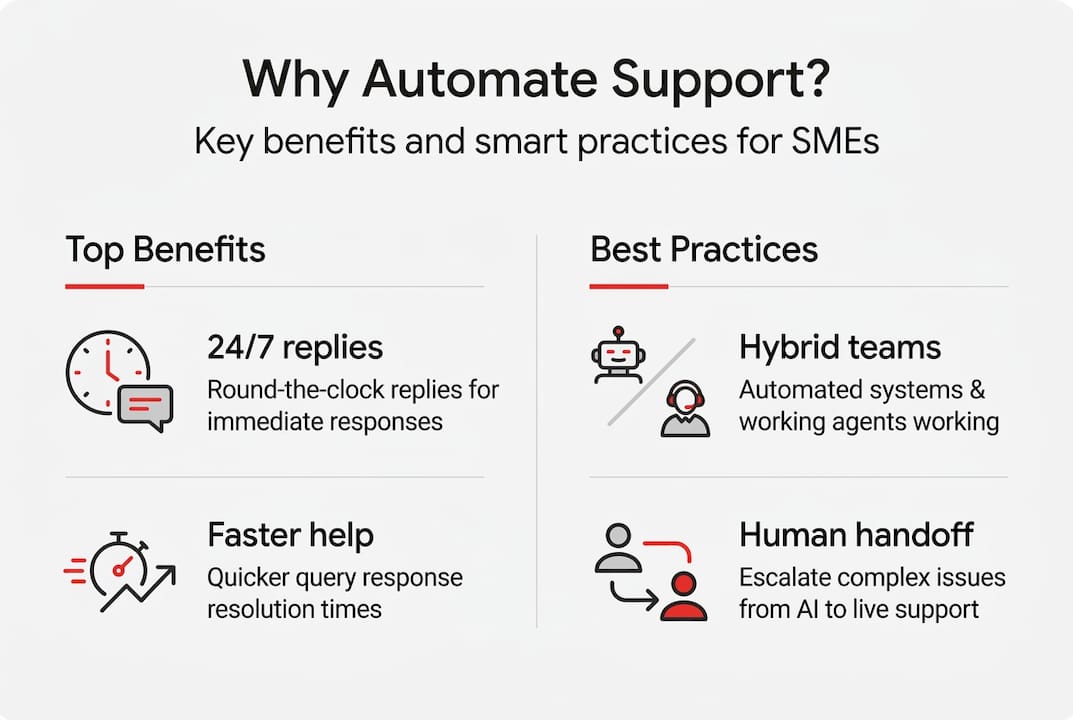
9. Why a Hybrid Approach Works Better Than Fully Automated Customer Service
A hybrid approach combines automated communication with human involvement.
Routine enquiries receive quick acknowledgements.
More complex situations are handled by someone who understands the business and the customer’s circumstances.
For example, a customer asking whether you cover a particular postcode may receive an automated answer based on accurate service-area information.
But a customer reporting a failed repair needs somebody to investigate the problem.
Hybrid vs Fully Automated Support
|
Feature |
Hybrid Automation |
Fully Automated Support |
|---|---|---|
|
Routine acknowledgements |
Automated |
Automated |
|
Basic FAQs |
Automated where reliable |
Automated |
|
Technical judgement |
Human |
Risk of inappropriate responses |
|
Customer complaints |
Human escalation |
May be difficult to resolve properly |
|
Complex quotations |
Human |
May lack necessary job details |
|
Safety-related enquiries |
Human oversight |
Unsuitable without appropriate safeguards |
|
Customer relationship |
Personal contact retained |
Greater reliance on software |
The best setup depends on the business, but tradespeople should be particularly cautious about automating advice that requires technical knowledge or professional responsibility.
Our article on AI chatbots for customer communication explains where automated conversations can be useful.
10. How CRM Integration Helps Prevent Missed Enquiries
A CRM is a customer relationship management system.
It records relevant contact details, enquiries and communication history so the business can manage customer relationships more consistently.
Without a CRM, enquiries may be scattered across personal phones, website emails, WhatsApp conversations and handwritten notes.
That makes it difficult to know which customers are waiting for a response.
With a properly configured CRM, the business can see where an enquiry came from and what has happened since.
Example CRM Lead Stages
|
Lead Stage |
Meaning |
Next Action |
|---|---|---|
|
New enquiry |
Customer has made contact |
Review the request |
|
Awaiting response |
Customer needs a reply |
Contact the customer |
|
Information required |
More details are needed |
Ask relevant questions |
|
Quote requested |
Customer wants pricing |
Prepare or arrange a quotation |
|
Quote sent |
Quotation has been provided |
Follow up appropriately |
|
Job booked |
Customer has accepted |
Confirm arrangements |
|
Job completed |
Work has been finished |
Close the job and request feedback |
|
Closed |
Enquiry is complete or no longer proceeding |
Stop unnecessary follow-ups |
These stages can be adapted to suit the business.
A commercial roofing contractor may need a more detailed quotation process than a locksmith handling straightforward call-outs.
The important thing is that staff can see which enquiries require action.
For more information, read our guide to CRM efficiency and marketing.
11. What Happens When Automation Gets Something Wrong?
Automation can create problems when workflows are poorly configured.
A customer might receive a follow-up after already booking a job.
A review request might go out before the work is finished.
A missed-call message might promise a response time the business cannot meet.
These problems are avoidable, but only if the system is tested and monitored.
Common Automation Problems
|
Problem |
Potential Consequence |
Prevention |
|---|---|---|
|
Duplicate messages |
Customer frustration |
Check triggers and workflow conditions |
|
Follow-up after a reply |
Messages feel impersonal |
Stop or pause sequences when customers respond |
|
Incorrect customer details |
Confusing communication |
Validate CRM data |
|
Review request too early |
Poor customer experience |
Require confirmed job completion |
|
No human escalation |
Important issues remain unresolved |
Assign responsibility for complex enquiries |
|
Unrealistic response promises |
Damaged trust |
Use accurate, achievable wording |
|
Missing opt-out process |
Unwanted communications |
Provide appropriate consent and opt-out controls |
The goal is not to create the largest number of automated messages.
It is to improve the reliability of customer communication.
BAMSH’s guides to marketing automation for UK SMEs and lead nurturing automation tools cover related considerations.
12. How to Measure Whether Customer Follow-Up Automation Is Working
Once the workflows are live, the business needs to know whether they are improving the enquiry process.
That means tracking more than the number of automated messages sent.
Useful Performance Metrics
|
Metric |
What It Measures |
Why It Matters |
|---|---|---|
|
Missed calls |
Number of unanswered calls |
Establishes the size of the problem |
|
Text-back delivery |
Successful automated acknowledgements |
Confirms the workflow is functioning |
|
Response time |
Time between enquiry and acknowledgement |
Shows communication speed |
|
Customer replies |
People responding to messages |
Indicates continued engagement |
|
Follow-up completion |
Whether appropriate reminders were sent |
Measures consistency |
|
Quotes requested |
Enquiries progressing to quotations |
Indicates commercial relevance |
|
Jobs booked |
Enquiries becoming confirmed work |
Measures business outcomes |
|
Review requests sent |
Completed-job feedback invitations |
Measures process consistency |
|
New Google reviews |
Genuine reviews received |
Tracks reputation activity |
|
Opt-outs and complaints |
Customers declining further messages |
Helps identify excessive or unsuitable communication |
A successful automation system should make it easier to identify and respond to genuine customer needs.
It should not simply increase the volume of texts being sent.
13. Why BAMSH’s AI Lead Engine Is Different From Basic Auto-Reply Software
A basic auto-reply tool may send one message when somebody contacts a business.
That can be useful.
But a trade business often needs more than a single acknowledgement.
A customer might request a quote, ask for an appointment, need more information and eventually book a job.
BAMSH’s AI Lead Engine is designed to connect these stages through CRM workflows.
The intended benefit is a more organised process from initial enquiry through to follow-up and customer feedback.
Basic Auto-Reply vs CRM Automation
|
Capability |
Basic Auto-Reply |
BAMSH AI Lead Engine |
|---|---|---|
|
Acknowledge an enquiry |
Usually |
Yes, through configured workflows |
|
Missed-call text-back |
Depends on the tool |
Supported through the configured system |
|
Record lead information |
Limited or separate |
CRM-based |
|
Follow-up sequence |
May be unavailable |
Five-day workflow |
|
Lead qualification |
Usually manual |
Can collect and organise basic information |
|
Completed-job review request |
Usually separate |
Can be configured as a trigger |
|
Track enquiry progress |
Limited |
CRM pipeline |
|
Human handover |
Depends on the tool |
Part of the intended process |
The system still needs correct configuration, suitable business processes and human oversight.
Automation is most valuable when it supports the way the business already works.
14. How BAMSH Helps UK Tradespeople Automate Customer Follow-Up
If you’re regularly missing calls, forgetting to chase quotes or struggling to keep track of enquiries, you may not need another member of staff immediately.
You may need a more reliable follow-up process.
BAMSH’s AI Lead Engine uses GHL-based CRM automation to help trade businesses acknowledge enquiries, organise leads, follow up appropriately and request customer feedback.
The starting point is understanding where enquiries are being missed.
For one business, that may be unanswered telephone calls.
For another, it may be website enquiries that sit in an inbox for days.
For a third, it may be quotations that are sent but never followed up.
BAMSH can help identify the suitable workflows and configure them around the business’s requirements.
Find out more about the AI Lead Engine and our CRM and lead nurturing services.
You can also book a free 15-minute call to discuss your current enquiry process.
Frequently Asked Questions
Can automated customer service completely replace humans?
No. Automation is most useful for predictable tasks such as acknowledging enquiries, sending reminders and confirming appointments. Complex complaints, technical questions and important decisions still require human judgement. For trade businesses, a hybrid approach helps maintain personal service while reducing repetitive administration.
What are the main risks of customer service automation?
The main risks include incorrect messages, duplicate follow-ups, inappropriate responses and failure to escalate important enquiries. Poorly configured workflows can also contact customers after they have opted out or when the enquiry is already resolved. Testing, monitoring and clear stopping rules are essential.
Which customer service tasks are safest to automate first?
Missed-call acknowledgements, website enquiry confirmations and routine appointment reminders are practical starting points. These tasks usually have predictable responses and do not require technical judgement. Once they are working reliably, businesses can consider additional follow-up and review request workflows.
How does hybrid customer service improve client satisfaction for SMEs?
Hybrid support combines automated acknowledgements with human involvement when needed. Customers can receive confirmation that their enquiry has been received without waiting for the business owner to become available. More complicated situations can then be handled personally, helping preserve trust and avoid unsuitable automated answers.
How does missed-call automation work for tradespeople?
When an eligible incoming call is missed, a connected telephone and CRM system can trigger an automated text message. The message acknowledges the call and invites the customer to provide details. The tradesperson can review the information and respond when available. Delivery depends on the telephone integration and messaging configuration.
Can BAMSH’s AI Lead Engine respond to missed calls within five minutes?
The missed-call text-back workflow can be configured with a target response time of approximately five minutes. Actual delivery depends on the system setup, connection status and messaging service. It should be treated as an intended automation target rather than a guarantee that every message will arrive within five minutes.
How much does CRM automation cost for a trade business?
Costs vary depending on the software, setup, integrations and ongoing support required. BAMSH’s CRM automation is included within its AI Lead Engine service, but the full package price is not specified in this article. Contact BAMSH for current pricing and the exact service scope.
Can automated follow-up help generate more Google reviews?
It can help businesses request reviews more consistently. For example, a completed-job trigger can send a polite invitation asking the customer for honest feedback. However, automation cannot guarantee that customers will leave reviews or improve a business’s rating. Google review requests must also comply with Google’s policies.
Is CRM automation suitable for sole traders?
Yes, provided the system is proportionate to the business’s needs. A sole trader who frequently misses calls while working may benefit from a simple text-back and enquiry tracking process. There is no need to automate every part of customer communication from the beginning.
How quickly can BAMSH set up automated customer follow-up?
The initial implementation plan targets the first 48 hours for core workflows such as missed-call text-back, enquiry acknowledgement, follow-up and review requests. Actual timing depends on the existing systems, access permissions, integrations and testing requirements. More complex setups may take longer.
Stop Letting Missed Calls Become Missed Opportunities
You cannot answer every telephone call while working on a job.
But you can make sure suitable enquiries are acknowledged and followed up more consistently.
BAMSH’s AI Lead Engine helps UK trade businesses organise customer communication using missed-call text-back, CRM workflows and automated follow-up.
If you’d like to see whether it could work for your business, read about the AI Lead Engine or book a free 15-minute call.