
TL;DR:
- Google describes local results primarily in terms of relevance, distance and prominence.
- Your Google Business Profile should accurately represent what your business does, where it operates and when customers can reach you.
- Categories, reviews, consistent business information, photos, your website and wider local authority all contribute to Google Maps visibility.
- There is no universal number of reviews or fixed timeframe that guarantees a Map Pack position.
- Google Maps optimisation for small businesses requires ongoing management rather than a one-off profile setup.
For a local business, appearing prominently on Google Maps can put you in front of potential customers at the point they are actively looking for a service.
But improving your Google Maps ranking is not about finding one setting to change or adding keywords everywhere you can.
Google uses several signals to determine which businesses appear for a local search. Some, particularly your distance from the searcher, are largely outside your control. Others can be improved.
Your job is to make it as easy as possible for Google to understand what your business does, where it operates and why it is relevant, while giving potential customers accurate information that helps them choose you.
If you want to know how to rank higher on Google Maps in the UK, start with the fundamentals.
Understand Relevance, Distance and Prominence First
Google describes local search results primarily in terms of three considerations: relevance, distance and prominence.
Understanding these prevents you from wasting time trying to optimise things you cannot control.
Relevance
Relevance describes how closely a local Business Profile matches what somebody is searching for.
This is why accurate categories, services, business information and website content matter.
If you are a roofing contractor, for example, Google needs enough accurate information to understand that relationship when somebody nearby searches for roofing services.
Distance
Distance considers how far each potential business is from the location used in the search.
If a location is not included in the search, Google can estimate distance using what it knows about the searcher’s location.
This is an important limitation to understand.
You can improve your profile, reviews, website and local authority, but you cannot simply optimise away the physical distance between your business and a customer.
It is also why two people performing the same search from different parts of Bristol can see different local results.
Prominence
Prominence relates to how well known a business is.
Google can use information about a business from across the web, including links, articles and directories. Reviews and positive ratings can also contribute to local ranking.
This means Google Maps optimisation extends beyond your Business Profile.
Your website, reviews, business information across other platforms and wider local presence all contribute to the picture Google can build about your business.
The 7 Google Business Profile Factors That Directly Affect Map Pack Ranking
There is no single Google Business Profile setting that guarantees a top-three position.
Instead, several areas work together.
If you want to improve your Google Business Profile ranking, these are seven of the most important areas to review.
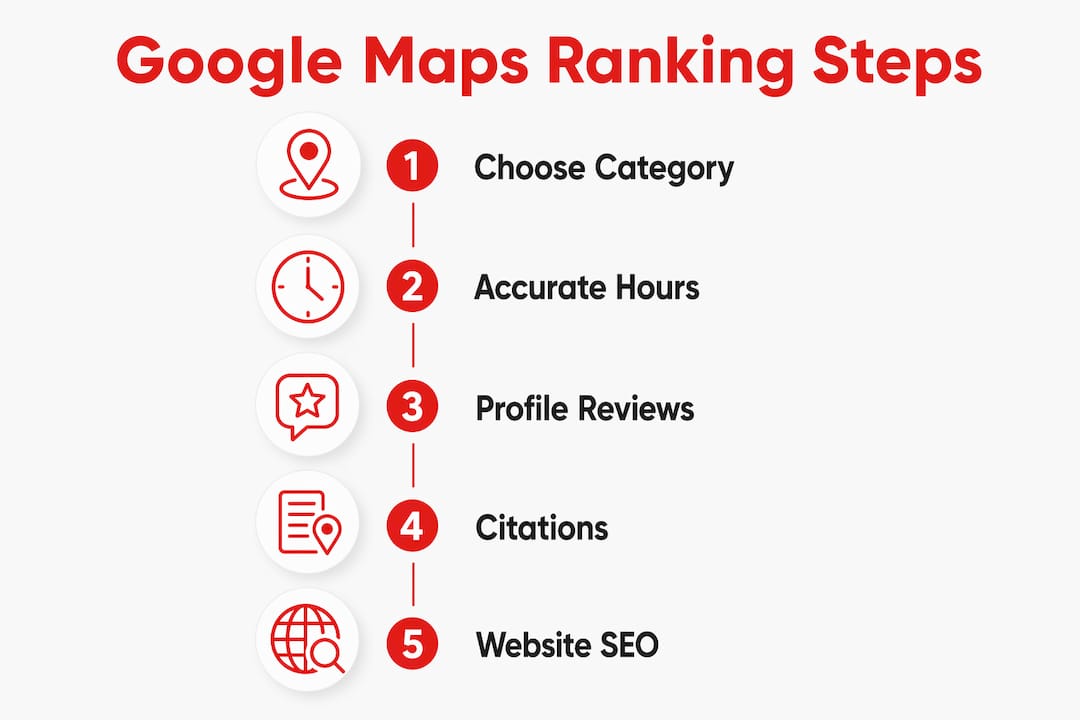
1. Your Primary and Secondary Categories
Category selection is one of the first things I would check.
Your primary category should describe the main nature of your business as accurately as Google’s available options allow.
Secondary categories can then be used for genuine additional areas of the business.
Do not add categories simply because you want to rank for more searches.
They should represent services you actually provide.
2. Complete and Accurate Business Information
Make sure the important information on your profile is complete and current.
That includes:
- Business name
- Address where applicable
- Telephone number
- Website
- Opening hours
- Special hours
- Services
- Business description
- Relevant attributes
A customer should not have to visit several different websites to work out whether your business is open, where it operates or how to contact you.
Accuracy is more important than filling fields with keywords.
3. Customer Reviews
Reviews can support both local visibility and customer confidence.
But there is no universal review number that guarantees a Map Pack position.
A tradesperson competing against businesses with five or ten reviews is in a very different position from one operating in a market where the established competitors have hundreds.
Instead of chasing an arbitrary number, compare your profile with the businesses currently appearing for the searches that matter to you.
Look at:
- How many reviews they have
- How recent those reviews are
- Their overall rating
- Whether reviews continue arriving regularly
- Whether the business responds to them
This gives you a much more useful benchmark than being told every business needs the same number.
4. Review Recency and Consistency
Review volume tells only part of the story.
A business with 100 reviews but none from the past year may present a very different picture from a competitor receiving genuine customer feedback every month.
This is where review velocity comes in.
Review velocity simply describes the rate at which new reviews are being received.
There is no need to suddenly chase dozens of reviews in a week. A natural, repeatable process that asks genuine customers for feedback is more sustainable.
Ask after completing the work while the experience is still fresh, and make the process straightforward by sending customers a direct review link.
Respond to reviews as well. A thoughtful reply shows prospective customers that the business pays attention to feedback.
5. Photos
Photos help customers understand the business before they contact you.
For trades and service businesses, useful images can include:
- Completed work
- Work in progress
- The team
- Vehicles
- Equipment
- Business premises
- Interior photographs
- Exterior photographs
Use genuine photographs rather than filling the profile with generic stock images.
The goal is not simply to hit a particular photo count. Build a useful collection and continue adding relevant images as the business completes new work or changes.
Fresh photographs can also reassure potential customers that the profile represents an active business.
6. Google Posts and Profile Activity
Google Posts allow businesses to publish updates directly through their Business Profile.
They can be used for:
- Business updates
- New services
- Offers
- Events
- Seasonal information
- Useful customer information
Do not publish posts simply for the sake of appearing active.
Use them when you have something genuinely useful to communicate.
The same principle applies across your profile. Keep hours accurate, add appropriate photographs, respond to reviews and update information when the business changes.
Consistent management is more useful than making large numbers of unnecessary changes.
7. Your Website and Wider Local Presence
Your Business Profile does not operate in isolation.
Google can use information elsewhere on the web to understand the business.
Your website should clearly explain:
- What services you provide
- Where you provide them
- How customers can contact you
- Relevant business information
- Your experience and expertise where appropriate
Links and mentions from genuine local organisations, suppliers, trade associations and community websites can also contribute to your wider local presence.
The objective is consistency.
Google should encounter the same genuine business wherever information about it appears.
How Many Google Reviews Do You Need to Rank in the Map Pack?
There is no fixed answer.
You may hear recommendations such as 10, 20, 50 or 100 reviews, but those numbers mean very little without considering the market.
Look at the actual competition.
Search for your main service from within your target area and examine the businesses appearing prominently.
If the leading businesses have 20 to 40 recent reviews and you have three reviews from four years ago, there is an obvious gap.
If you already have considerably more reviews than your competitors but remain outside the Map Pack, adding another ten reviews may not solve the underlying problem.
Your categories, relevance, location, website, business information or other local signals may need attention instead.
The objective should therefore be a consistent flow of genuine customer feedback, not reaching an arbitrary target and then stopping.
How to Build a Sustainable Review Process
Make asking for reviews part of what happens after completing a job.
A simple process can be:
- Complete the work.
- Confirm the customer is happy.
- Send a short thank-you message.
- Include a direct Google review link.
- Respond when the customer leaves feedback.
Do not offer incentives in return for positive reviews or attempt to manufacture feedback.
A smaller number of genuine reviews is more useful than trying to manipulate the system.
NAP Consistency: Keep Your Business Details the Same Across the Web
NAP stands for Name, Address and Phone number.
These core details should be consistent wherever your business appears online.
That can include:
- Google Business Profile
- Your website
- Yell
- Checkatrade
- Industry directories
- Local directories
- Social profiles
- Trade association websites
Problems often appear when a business moves premises, changes its telephone number or rebrands.
The owner updates Google and the website but forgets about older directory listings.
You can then end up with one address on Google, another on an old directory and an outdated phone number somewhere else.
Audit your most important listings and correct inaccurate information.
Consistency does not mean you need hundreds of directory listings. Focus on making the genuine listings you already have accurate and keeping important platforms updated.
Google Posts: Keep Your Profile Useful and Current
Google Posts are easy to overlook because they are not as fundamental as your business name, category or opening hours.
But they give you another way to keep useful information on the profile current.
A tradesperson might publish posts about:
- A recently completed project
- A new service
- Seasonal availability
- Changes to opening hours
- An offer
- Useful advice relevant to customers
Avoid turning every post into an advert.
Think about what somebody viewing your profile would actually find helpful.
And remember that Google Posts should support the fundamentals rather than distract from them. An accurate category, correct business details and a strong review process come first.
Use Your Photos to Show Customers the Real Business
Potential customers often compare several businesses directly from Google Maps.
Photos give them immediate evidence of what your company actually looks like and the type of work you carry out.
For a Bristol tradesperson, that might mean showing a recently completed bathroom, roofing project, electrical installation or extension rather than uploading another generic logo graphic.
Aim for a varied collection covering the business properly:
- Exterior
- Interior where relevant
- Team
- Work in progress
- Completed projects
- Vehicles and branding
Keep adding genuine photographs over time rather than uploading a batch once and forgetting about the profile.
Use Your Google Business Profile Q&A to Answer Real Customer Questions
The Q&A area of a Google Business Profile can help customers find information without needing to visit several pages.
It is often overlooked.
Look at the questions customers repeatedly ask before contacting you.
For example:
- Do you cover my area?
- Do you offer emergency call-outs?
- Do you provide free quotations?
- Do you work with commercial customers?
- What are your opening hours?
- Do I need to book in advance?
Provide clear and accurate answers.
Do not use the Q&A area to stuff keywords or publish disguised advertising.
Treat it as another place where a potential customer should be able to get useful information about the business.
How Citations and Website Signals Support Your Google Maps Ranking
A citation is an online mention of your business information.
Directories are the most obvious examples, but the wider principle is that Google encounters information about your company across multiple sources.
Quality and accuracy matter more than simply trying to create as many listings as possible.
Review your major citations and make sure important details remain correct.
Your own website also provides important context.
Service pages should clearly explain what you actually offer, while relevant location information helps search engines and customers understand where the business operates.
Internal links can help connect related services and location information logically.
Local links can also be valuable when they come from genuine relationships.
Examples might include:
- Local suppliers
- Business organisations
- Trade associations
- Community groups
- Sponsorships
- Local partnerships
Do not manufacture irrelevant local links simply because they contain the name of your town.
What Not to Do When Trying to Rank Higher on Google Maps
Trying to force a Maps ranking can create bigger problems than the one you started with.
Do Not Stuff Keywords Into Your Business Name
Use the genuine business name.
Adding services and locations purely to influence rankings can create a misleading profile and goes against Google’s Business Profile guidelines.
Do Not Buy or Create Fake Reviews
Fake reviews can damage trust and put the profile at risk.
Build a process for asking genuine customers instead.
Do Not Use an Address That Does Not Represent the Real Business
Do not create fake offices or use addresses simply to appear closer to customers in another town.
Service-area businesses should configure their profile according to how the business actually operates.
Do Not Add Irrelevant Categories
More categories do not automatically mean more visibility.
Choose categories that accurately represent the business.
Do Not Let Different Addresses and Phone Numbers Accumulate
If your business details change, update the important listings around the web rather than changing Google alone.
Do Not Treat GBP Optimisation as a One-Off Task
Businesses change.
Opening hours change. Services change. Staff change. Photographs become outdated and new reviews arrive.
Your profile needs to keep up.
Google Maps Optimisation for Bristol and South West Businesses
Local competition varies considerably across Bristol and the wider South West.
A business trying to rank for a competitive service across central Bristol faces a different situation from a specialist operating in a smaller town.
Location also matters because Google considers distance.
A tradesperson based in North Bristol cannot assume that optimising a profile will make them equally prominent to searchers on the opposite side of the city.
The same applies across areas such as Bath, South Gloucestershire and the wider South West.
This is why we do not recommend treating an entire region as one search market.
Look at the actual searches relevant to the business and compare the Map Pack in the areas where your customers are located.
Check:
- Which businesses appear
- Their primary categories
- Their review profiles
- Their websites
- Their locations
- Their service information
- How established their wider local presence appears
This gives you a much better picture of what you are competing against.
How to Audit Your GBP in 10 Minutes
You do not need specialist software to identify many Google Business Profile problems.
Set aside ten minutes and work through this checklist.
Minutes 1–2: Check Your Core Details
Confirm:
- Business name
- Address where applicable
- Phone number
- Website
- Opening hours
Correct anything outdated.
Minutes 3–4: Check Your Categories and Services
Look at your primary category first.
Does it accurately describe the core business?
Then check secondary categories and services. Remove anything that no longer applies and add genuine services that are missing.
Minutes 5–6: Review Your Photos
Look at the profile as a customer.
Do the images represent the business today?
Add recent photographs if the profile is dominated by old images, logos or pictures that tell customers very little.
Minutes 7–8: Review Your Reviews
Check:
- When the most recent review arrived
- Whether reviews are arriving consistently
- Whether unanswered reviews are accumulating
- Whether there is a simple process for requesting feedback
Minute 9: Check Posts and Q&A
Look for outdated information and unanswered customer questions.
Add useful information where something important is missing.
Minute 10: Search for Your Business Details Elsewhere
Search your business name, address and telephone number.
Check whether major directories and your own website agree with the information shown on Google.
For a more detailed check, use our Google Business Profile optimisation checklist.
How Long Does It Take to Rank in the Google Map Pack?
There is no fixed timeframe.
Some changes can be reflected relatively quickly, while meaningful ranking improvements can take considerably longer.
The starting point matters.
A verified business with an established website, strong local relevance and a healthy review profile is in a different position from a new business with little online history.
Competition matters too.
Improving visibility in a smaller local market may be very different from trying to enter a competitive Map Pack for a high-value service in Bristol.
Distance can also limit what is achievable for individual searchers.
Instead of asking only, “How long until I rank?”, monitor whether the underlying signals are improving.
Look at:
- Visibility for relevant local searches
- Website visits from the profile
- Calls
- Direction requests where relevant
- Review growth
- Enquiries generated
Ranking is useful, but enquiries are the outcome that matters.
What Behavioural Signals Should You Pay Attention To?
Customers can interact with your profile in several ways.
They may:
- Visit your website
- Call the business
- Request directions
- View photographs
- Read reviews
- Browse profile information
Rather than trying to manipulate engagement, concentrate on making the profile genuinely useful.
Accurate information, strong photographs, useful reviews and clear service information give potential customers a reason to interact naturally.
If customers repeatedly reach the profile and discover inaccurate hours, an incorrect phone number or poor information, improving engagement tricks will not solve the underlying problem.
What I Have Learned From Working With Local Businesses on Maps Rankings
I have been working with local businesses on their Google Maps presence since before GBP was even called GBP. And the pattern I see repeated, again and again, is this: business owners spend hours on things that barely move the needle while ignoring the one or two changes that would make a real difference.
The primary category audit is where I always start. Most businesses have it wrong. Not wildly wrong, but subtly wrong. A broader category may seem close enough, but greater accuracy can help Google understand the business more clearly.
The second thing I have learned is that one-time fixes do not hold. A profile that was accurate six months ago but has had no attention since can gradually become less useful as the business changes.
Reviews are another area where consistency matters. Two businesses may have similarly complete profiles and websites, but one continues receiving current customer feedback while the other’s reviews largely reflect experiences from several years ago. That creates a very different impression for someone comparing the two businesses.
Citation consistency is also frequently underestimated. Business owners assume that because they updated their address on Google, they are done. Old listings on directories and industry websites can still carry outdated information, particularly after a business moves or changes its telephone number.
If you want to know where to start, audit your primary category, your core business information across the web and your review process. Those three areas often reveal practical opportunities that have been overlooked.
— Martyn
Key Takeaways
Google Maps visibility is influenced by your Business Profile, your location relative to searchers, your reputation and information about your business elsewhere online.
Google’s relevance, distance and prominence framework is a useful way to understand how these pieces fit together.
| Area | What to concentrate on |
|---|---|
| Business Profile | Keep categories, services, hours and other information accurate |
| Relevance | Clearly describe what the business genuinely provides |
| Distance | Understand that proximity cannot simply be optimised away |
| Reviews | Build a consistent process for genuine customer feedback |
| Photos | Add useful, genuine photographs of the business and its work |
| NAP | Keep important business details consistent across relevant platforms |
| Website | Support the profile with useful service and location information |
| Local authority | Build genuine local relationships, mentions and links |
| Ongoing management | Review the profile regularly rather than treating setup as the end |
The strongest strategy is not based on finding one ranking trick.
It is about giving Google and potential customers consistent, useful and trustworthy information about who you are, what you offer and where you operate.
How BAMSH Can Help You Improve Your Google Maps Visibility
Ranking well on Google Maps requires ongoing attention across your Google Business Profile, business information, reviews and website.
Our Google Business Profile management service covers profile optimisation and ongoing management, including important profile updates and review management.
We can also assess the wider local SEO signals supporting your profile, including your website and business information across relevant platforms.
If you would rather learn how to work on the profile yourself, BAMSH’s free Google Maps training video can be embedded or linked here once the correct video URL is confirmed.
If you want us to look at your current Google Maps presence and identify where it could be stronger, book a free 15-minute consultation.
Frequently Asked Questions
What are the most important factors for Google Maps ranking?
Google describes local results primarily in terms of relevance, distance and prominence. Start by making sure your Business Profile accurately represents the business, including its categories, services, hours and other important information. Reviews, your website and information about the business elsewhere online can also contribute to local visibility.
How can I improve my Google Business Profile ranking?
Start with accuracy. Check your primary category, business details, services and opening hours, then review your photographs, customer reviews and wider business information. Your website should also clearly support the services and locations represented by the profile.
How many Google reviews do I need to rank?
There is no universal number that guarantees a Map Pack position. Compare your review profile with genuine competitors appearing for the searches that matter in your area. Look at total reviews, recency, rating and whether new reviews continue arriving rather than concentrating on a single target number.
Does review velocity matter for Google Maps?
A consistent flow of recent genuine reviews can provide customers with a more current picture of the business than a large collection of old reviews. Build review requests into your normal customer process rather than collecting reviews in occasional bursts or trying to manipulate the system.
How long does it take to improve a Google Maps ranking?
There is no guaranteed timeframe. Your starting position, competition, location, website, profile quality and wider local presence can all affect progress. Monitor visibility and real customer actions such as calls, website visits and enquiries rather than expecting every optimisation to produce an immediate ranking change.
Does my website affect my Google Maps visibility?
Your website provides Google with additional information about your services, business and locations. Clear service content, accurate business information, sensible internal linking and genuine local relevance can support the wider signals associated with your Business Profile.
Can a service-area business rank without displaying its address?
Yes. Businesses that travel to customers can configure a service area and hide their address where appropriate under Google’s rules. The profile should reflect how the business genuinely operates rather than displaying an address simply for ranking purposes.
Should I post on my Google Business Profile every week?
There is no need to publish posts merely to meet an arbitrary frequency. Use Google Posts when you have relevant updates, offers, events or information that helps potential customers. Accurate core information and useful ongoing management should take priority over publishing for the sake of activity.
How often should I update my Google Business Profile?
Review it regularly and whenever something changes. Opening hours, special hours, services, telephone numbers, photographs and other information can become outdated. Regular checks help ensure customers and Google continue receiving an accurate representation of the business.
What should I avoid when trying to rank higher on Google Maps?
Avoid keyword stuffing your business name, fake reviews, irrelevant categories, fake locations and inconsistent business details. These tactics can create inaccurate information for customers and may breach Google’s Business Profile guidelines. Concentrate on accurately representing the real business instead.
Recommended
- Google Maps optimisation: Boost your UK business visibility
- Google Business Profile tips for better local results
- Google Business Profile Guide for More Local Leads
- Google Business Profile Checklist: 5 Steps for Local Success
Martyn Lenthall
As the Founder and CEO of BAMSH Digital Marketing, Martyn is dedicated to helping businesses grow through proven SEO and digital marketing strategies. With years of hands-on experience, he understands what it takes to improve online visibility, attract more leads and support sustainable growth.
His practical approach focuses on identifying the changes that can make a meaningful difference rather than treating SEO as a collection of isolated tactics. Through BAMSH, Martyn works with businesses on SEO, Google Business Profile management and wider digital marketing strategies designed around measurable business objectives.