

Many UK small and medium business owners launch PPC campaigns expecting instant leads, only to face overwhelming dashboards and 40% average PPC budget waste without proper tracking. Without a structured setup process, even modest budgets disappear quickly. This guide provides clear, actionable steps tailored specifically for UK SMBs to launch effective PPC campaigns that deliver measurable visibility and quality leads from day one.
Table of Contents
- Introduction To PPC For UK SMBs
- Prerequisites: What You Need Before Starting PPC
- Step 1: Account Setup And Tracking
- Step 2: Keyword Research And Selection
- Step 3: Audience And Location Targeting
- Step 4: Budget And Bidding Strategy
- Step 5: Optimisation And Best Practices
- Troubleshooting Common PPC Mistakes
- Expected Results And Timelines
- Boost Your PPC Success With Expert Support
- Frequently Asked Questions
Key takeaways
| Point | Details |
|---|---|
| PPC offers immediate visibility | Unlike SEO, PPC puts your business at the top of search results within hours, targeting ready-to-buy audiences. |
| Proper tracking prevents wasted spend | Linking Google Ads to Analytics and setting up conversion tracking reduces budget waste by up to 40%. |
| Start small and scale with data | Begin with £10-£20 daily budgets, test performance for 2-4 weeks, then scale based on results. |
| Location and audience targeting boost ROI | Precise geographic and demographic targeting can improve lead quality by 20% for UK businesses. |
| Negative keywords cut irrelevant clicks | Adding negative keywords reduces wasted spend by up to 25% and improves campaign efficiency. |
Introduction to PPC for UK SMBs
Pay-per-click advertising delivers something SEO cannot: immediate visibility. When someone searches for your service right now, your ad can appear at the top of Google within hours. This makes PPC essential for UK small and medium businesses that need leads quickly whilst building long-term organic presence.
The role of PPC in business growth centres on targeting ready-to-buy audiences with precision. Unlike broad marketing channels, PPC delivers more immediate visibility to people actively searching for solutions you provide. Someone typing “emergency plumber Manchester” or “corporate solicitor Leeds” has high purchase intent. Your ad captures them at exactly the right moment.
Budget control and performance tracking separate successful PPC campaigns from money pits. You set daily spending limits, pause campaigns instantly, and track every pound spent against leads generated. This transparency makes PPC particularly valuable for SMBs operating on tight margins. Every click costs money, so knowing which keywords convert and which drain budgets becomes critical.
Key benefits for UK SMBs include:
- Immediate ad placement at the top of search results
- Precise targeting by location, demographics, and search intent
- Complete budget control with daily spending limits
- Measurable ROI through conversion tracking
- Ability to test messaging quickly and adjust in real time
Prerequisites: what you need before starting PPC
Before spending a single pound on ads, gather the essential tools and information that prevent costly mistakes. Proper preparation saves both money and frustration.
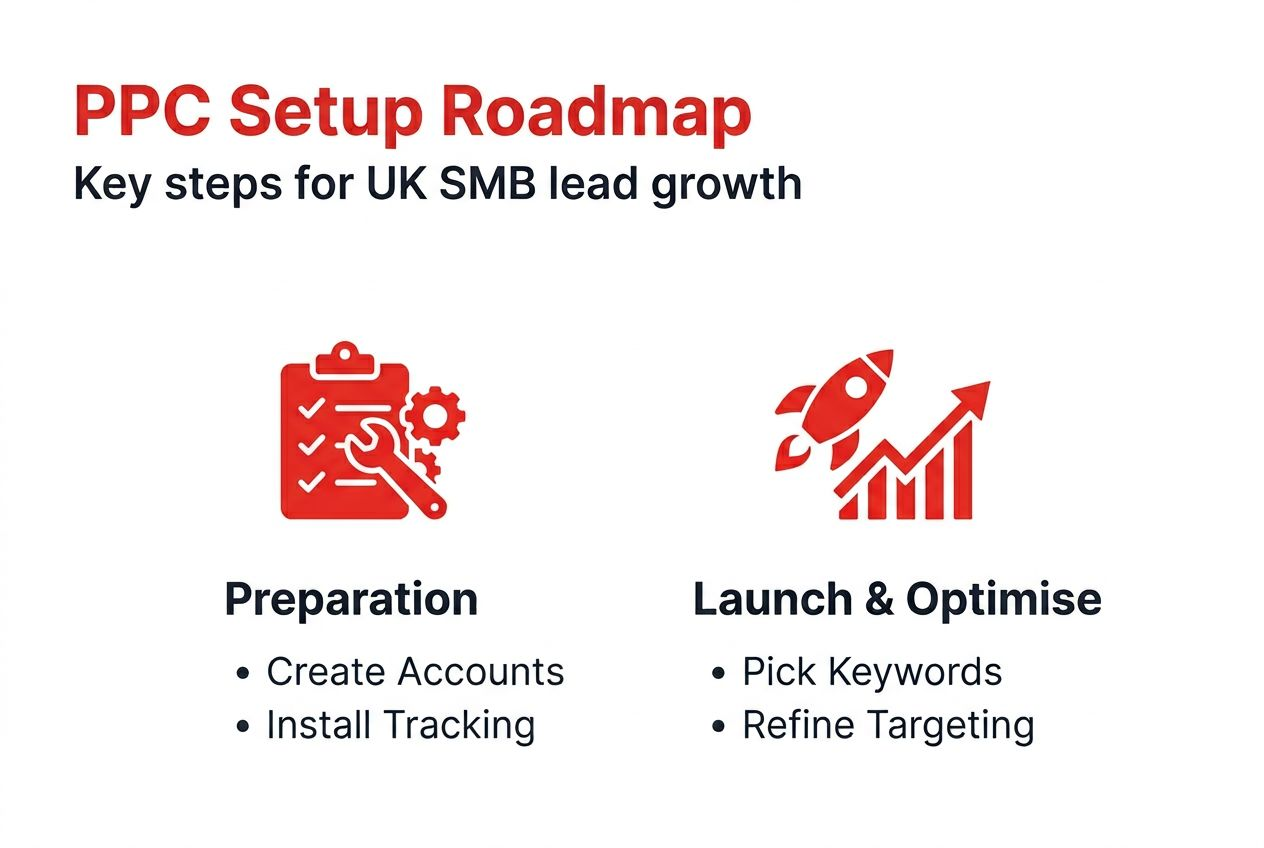
First, create and link your Google Ads and Analytics accounts. These platforms work together to track user behaviour from ad click through to conversion. Without this connection, you cannot measure which keywords generate leads or where visitors drop off. Account setup takes 15 minutes but provides the foundation for all future optimisation.
Second, arrange website backend access for installing tracking codes. You need permission to add Google Tag Manager to your site. This tool manages conversion tracking without requiring constant developer involvement. Most website platforms like WordPress make this straightforward, but confirm access early.
Third, clarify your business goals and budget range. Are you generating enquiries, phone calls, or online purchases? What defines a valuable lead for your business? Knowing this shapes keyword selection and conversion tracking. Similarly, realistic budget ranges prevent overspending. Starting with £300-£500 monthly allows meaningful testing without excessive risk.
Essential tools and access:
- Google Ads account (free to create)
- Google Analytics 4 property linked to your website
- Google Tag Manager installed on your website
- Access to your website backend or a developer who can help
- Keyword research tool like Google Keyword Planner
- Clear definition of what counts as a conversion for your business
Pro tip: Before launching campaigns, conduct a website speed test. PPC management for UK businesses succeeds when landing pages load quickly. Slow pages waste ad spend by causing visitors to leave before seeing your offer.
Step 1: account setup and tracking
Accurate tracking separates profitable campaigns from budget black holes. This step ensures every lead gets attributed correctly to the keywords and ads that generated it.

Start by creating your Google Ads account at ads.google.com. Follow the prompts to enter business information, billing details, and initial campaign preferences. Do not launch campaigns yet. Instead, immediately link this account to Google Analytics. Inside Google Ads, navigate to Tools & Settings, then Linked Accounts, and connect your Analytics property. This linkage allows you to see user behaviour after they click your ads.
Next, set up conversion tracking using Google Tag Manager. Install the Tag Manager code snippet on every page of your website. Then create conversion tags for valuable actions like form submissions, phone calls, or purchases. Define each conversion clearly. A plumbing business might track quote request forms, emergency call clicks, and booking confirmations as separate conversions. Each tells you something different about campaign performance.
Test your tracking before spending money. Submit a test enquiry through your website and verify it appears in Google Analytics and Google Ads conversion reports within 24 hours. Linking Google Ads to Analytics reduces up to 40% budget waste by ensuring optimisation decisions rely on accurate data, not guesswork.
Setup checklist:
- Create Google Ads account with business details and payment method
- Link Google Ads to Google Analytics 4 property
- Install Google Tag Manager on your website
- Create conversion tracking tags for key actions
- Test conversions by completing actions yourself
- Verify conversions appear in both Analytics and Ads reports
- Set up call tracking if phone enquiries matter for your business
Pro tip: Create separate conversion actions for different lead types. Tracking quote requests differently from phone calls reveals which keywords drive which customer behaviours, enabling smarter budget allocation.
Step 2: keyword research and selection
Keyword selection determines who sees your ads and how much you pay per click. Choose poorly and your budget evaporates on irrelevant searches. Choose wisely and you attract high-intent prospects ready to buy.
Use Google Keyword Planner to research UK-specific search volumes and costs. Focus on commercial intent keywords that signal readiness to purchase. Someone searching “buy office furniture London” has higher intent than “office furniture ideas.” Prioritise keywords where searchers want solutions now, not inspiration for later.
Avoid overly broad keywords that drain budgets without converting. Generic terms like “marketing” or “insurance” cost more and attract researchers rather than buyers. Instead, target specific services, locations, and problems. “PPC management Manchester” or “emergency boiler repair Bristol” reach smaller audiences but generate better leads.
Balance search volume against cost per click within your budget constraints. High-volume keywords often cost £3-£10 per click in competitive sectors. Commercial intent keywords with competitive cost per click yield better lead quality than cheap, broad terms that generate worthless clicks.
Keyword selection criteria:
- Commercial intent language like “buy,” “service,” “hire,” “quote”
- Location-specific terms matching your service area
- Search volume between 100-1,000 monthly searches for budget efficiency
- Cost per click aligned with your budget and profit margins
- Problem-focused keywords your customers actually use
- Competitor brand terms where legally and ethically appropriate
Start with 15-25 keywords organised into tightly themed ad groups. Group similar keywords together so you can write highly relevant ad copy for each cluster. This organisation improves Quality Score, which lowers costs and improves ad positions.
Step 3: audience and location targeting
Even perfect keywords waste money if shown to wrong people in wrong places. Geographic and demographic targeting ensures your budget reaches genuine prospects.
Set geographic targeting to match where you actually provide services. Local businesses should target specific towns or radius around their location. National businesses can target all of UK but should exclude regions with poor conversion history once data accumulates. Effective location targeting can boost lead quality by 20% for UK businesses by focusing spend on areas with proven demand.
Use demographic targeting to refine your audience further. A commercial solicitor might target business owners aged 35-65, whilst a wedding photographer targets engaged couples aged 25-40. These filters prevent showing ads to people unlikely to need your service, stretching budgets further.
Implement negative location targeting to exclude irrelevant geographies. If you only serve Greater London, exclude other UK regions entirely. This prevents accidental clicks from people too far away to become customers, a common source of wasted spend.
Targeting best practices:
- Start with tight geographic boundaries and expand based on performance data
- Layer demographic filters like age, household income, or parental status when relevant
- Use audience segments for remarketing to website visitors who did not convert initially
- Exclude locations outside your service area completely
- Consider dayparting to show ads only during business hours for phone-based conversions
- Test different location bid adjustments to favour high-converting areas
For businesses with multiple locations, create separate campaigns for each area with location-specific ad copy and landing pages. This relevance improves click-through rates and conversion rates simultaneously.
Step 4: budget and bidding strategy
Smart budgeting protects your business whilst gathering data needed for scaling. Start conservatively, measure ruthlessly, then invest confidently in what works.
Begin with daily budgets of £10-£20 during initial testing. This modest spend generates enough clicks to identify promising keywords without risking significant capital. At £1.50 average cost per click, £15 daily provides 10 clicks. Over two weeks, that is 140 clicks, sufficient to spot patterns in which keywords drive enquiries.
Choose between manual and automated bidding strategies based on your expertise and time availability. Manual bidding gives complete control over maximum cost per click for each keyword. You decide precisely how much each click is worth. This works well for experienced marketers or those with simple campaigns. Automated bidding improves lead acquisition by 15-25%, whilst manual bidding offers more control but requires expertise and constant monitoring.
Automated bidding strategies like Target CPA or Maximise Conversions let Google’s algorithms adjust bids in real time. These work better after campaigns gather conversion data. For new campaigns, start with Maximise Clicks to build initial traffic, then switch to conversion-focused bidding once you have 30-50 conversions recorded.
| Bidding Strategy | Best For | Control Level | Data Needed |
|---|---|---|---|
| Manual CPC | Experienced advertisers wanting maximum control | High | Minimal |
| Maximise Clicks | New campaigns building initial traffic | Low | None |
| Target CPA | Campaigns with clear cost per acquisition goals | Medium | 30+ conversions |
| Maximise Conversions | Driving maximum leads within budget | Low | 15+ conversions |
| Target ROAS | Ecommerce with varying product values | Medium | 50+ conversions |
Scale your budget gradually based on performance data. If campaigns generate leads at acceptable cost per acquisition, increase daily budgets by 20-30% weekly. Monitor closely during scaling to ensure efficiency holds. Rapid budget increases sometimes trigger algorithm relearning periods that temporarily reduce performance.
Pro tip: Set campaign-level budget alerts at 50% and 80% of monthly limits. These notifications prevent accidental overspending if campaigns perform better than expected.
Step 5: optimisation and best practices
Launching campaigns is just the beginning. Continuous optimisation separates decent results from exceptional ROI. Small improvements compound over weeks into significant cost savings and lead quality gains.
Add negative keywords weekly to exclude irrelevant searches triggering your ads. Review search terms reports to spot queries with zero conversion potential. Someone searching “free solicitor advice” will not pay for your services. Add “free” as a negative keyword across campaigns. Adding negative keywords can reduce wasted spend by up to 25% and improve overall campaign efficiency.
Improve ad copy relevance by matching language to keywords and landing pages. Each ad group should have 3-4 ad variations testing different headlines and descriptions. Include keywords in headlines to boost relevance. A person searching “emergency electrician Leeds” should see an ad headline reading “Emergency Electrician in Leeds” not generic “Electrical Services.”
Ensure landing pages match ad promises exactly. If your ad promotes “Free Quote in 24 Hours,” the landing page must prominently feature that offer. Mismatched messaging kills conversions. Fast-loading, mobile-friendly pages with clear calls to action convert significantly better than slow, cluttered homepages.
Monitor Quality Score to identify improvement opportunities. This 1-10 rating reflects ad relevance, landing page experience, and expected click-through rate. Scores above 7 reduce costs and improve positions. Improve low scores by tightening keyword-to-ad-to-landing page alignment.
Ongoing optimisation tasks:
- Review search terms weekly, add negative keywords to prevent irrelevant clicks
- Pause keywords with high cost and zero conversions after sufficient data
- Test new ad copy variations monthly to improve click-through rates
- Adjust bids on top-performing keywords to maintain strong positions
- Improve landing page load speed and mobile experience continuously
- Update ad extensions with promotions, new services, or seasonal offers
- Review competitor ads to identify messaging opportunities
Pro tip: Schedule 30 minutes every Friday to review campaign performance. Consistent attention prevents small issues from becoming expensive problems.
Troubleshooting common PPC mistakes
Even careful setup cannot prevent every pitfall. Recognising and fixing these frequent mistakes protects your investment.
Broad match keywords without negative keyword lists generate massive irrelevant traffic. Broad match lets Google show your ads for loosely related searches. Without negatives, a plumber advertising “leak repair” might appear for “roof leak repair” despite only fixing pipes. Always combine broad match with robust negative keyword lists or use phrase and exact match instead.
Broken conversion tracking sabotages optimisation. If tracking codes break due to website updates, Google cannot record conversions. You might generate excellent leads whilst Google thinks campaigns perform poorly, triggering incorrect bidding adjustments. Test tracking monthly by submitting enquiries yourself.
Ignoring performance data leads to throwing good money after bad. Some advertisers set campaigns and forget them for months. Poor conversion tracking is responsible for up to 40% budget waste among SMB PPC campaigns. Review data weekly minimum to catch problems early.
Starting with unrealistic budgets creates false expectations. You cannot compete with national brands spending £10,000 daily on £200 monthly budgets. Set expectations based on your actual spend level and industry costs.
Poor location targeting wastes money on unserviceable areas. A local business targeting entire UK receives clicks from Scotland whilst only serving Kent. This geographic mismatch wastes most of the budget.
Common mistakes and fixes:
- Broad match overuse: Switch to phrase or exact match with smaller negative lists
- Tracking failures: Test conversions monthly and monitor implementation
- Infrequent review: Schedule weekly 30-minute performance checks
- Single ad per group: Run 3-4 ad variations to identify best messaging
- Ignoring mobile: Ensure landing pages and ads work perfectly on smartphones
- No call tracking: Implement call conversion tracking for phone-driven businesses
- Paid advertising tips UK emphasise starting with conservative budgets and scaling with proof
Expected results and timelines
Realistic expectations prevent disappointment whilst recognising genuine success. PPC delivers faster than SEO but still requires patience for optimisation.
Initial performance data accumulates over 2-4 weeks. Early results guide optimisation but do not represent final performance. Algorithms learn from conversions, improving targeting as data builds. Avoid making major changes in the first week. Let campaigns gather enough clicks to reveal meaningful patterns.
Typical conversion rates on well-targeted commercial keywords range between 3-5%. This means 100 clicks might generate 3-5 enquiries. Poor targeting or mismatched landing pages reduce this to 1% or less, whilst highly optimised campaigns can exceed 8% in some industries.
UK SMBs can expect 3-5% conversion rates and 2-4 weeks to collect actionable PPC data for meaningful optimisation decisions. Lead quality improves by up to 20% with precise targeting and continuous negative keyword additions. Effective Quality Score management can reduce cost per click by up to 20% over initial rates.
Expect to reduce wasted spend by over 25% after implementing comprehensive negative keyword lists and pausing poor performers. This efficiency improvement stretches budgets significantly, generating more leads from the same investment.
| Metric | Initial Period (Weeks 1-4) | Optimised Period (Months 2-3) | Long-Term (Months 4+) |
|---|---|---|---|
| Conversion Rate | 2-3% | 3-5% | 5-8% |
| Cost Per Click | Baseline | 10-15% reduction | 15-25% reduction |
| Lead Quality | Variable | 15-20% improvement | 20-30% improvement |
| Wasted Spend | 30-40% | 15-20% | 10-15% |
| Quality Score | 4-6 | 6-8 | 7-9 |
Boost your PPC success with expert support
Whilst this guide provides the foundation, professional management accelerates results and prevents costly mistakes. Expert PPC management for UK businesses handles setup, optimisation, and scaling whilst you focus on serving customers.
Bamsh’s pay per click PPC services deliver transparent, data-driven campaigns tailored specifically for UK small and medium businesses. We handle everything from keyword research through ongoing optimisation, backed by clear monthly reporting showing exactly what you get for your investment.
Ready to launch effective PPC campaigns without the overwhelm? Book a free 15-minute PPC consultation to discuss your goals, budget, and how professional management can maximise your advertising investment whilst minimising wasted spend.
Frequently asked questions
How long does it take to see results from PPC campaigns?
You will see immediate traffic once campaigns launch, but meaningful performance data takes 2-4 weeks to accumulate. Initial results guide optimisation rather than representing final performance. Most UK SMBs notice improved lead quality and reduced costs by month two as algorithms learn and negative keywords eliminate wasteful clicks.
What is a realistic budget for small businesses starting PPC?
Start with £300-£500 monthly for initial testing across focused keyword sets. This provides sufficient data to identify what works without excessive risk. Scale budgets by 20-30% monthly as campaigns prove profitability. Competitive industries may require £1,000+ monthly to generate meaningful traffic, whilst niche services can succeed on smaller budgets.
Should I use automated or manual bidding for my first campaign?
Begin with Maximise Clicks to build initial traffic and conversion data. After recording 15-30 conversions, switch to Target CPA or Maximise Conversions for better efficiency. Automated bidding performs well once algorithms have data, whilst manual bidding suits experienced advertisers wanting granular control over every keyword.
How do I know if my PPC campaigns are profitable?
Track cost per acquisition against customer lifetime value. If acquiring a customer costs £50 and they generate £500 profit over their relationship with your business, campaigns are highly profitable. Calculate this by dividing total ad spend by conversions generated, then comparing against your average customer value. Profitable campaigns have CPA below 20-30% of customer value.
What is Quality Score and why does it matter?
Quality Score rates ad relevance, landing page experience, and expected click-through rate on a 1-10 scale. Higher scores reduce your cost per click and improve ad positions, letting you outrank competitors whilst paying less. Improve scores by tightening keyword-to-ad-to-landing page alignment, improving page load speed, and increasing ad click-through rates through better copy.
How often should I review and optimise my PPC campaigns?
Review performance weekly minimum, spending 30-60 minutes checking search terms, adding negative keywords, and pausing poor performers. Monthly deep reviews should analyse trends, test new ad copy, and adjust budgets. Daily monitoring is unnecessary for most SMBs but becomes important during promotional periods or rapid scaling phases.