
TL;DR:
- CRM in sales combines software, strategies, and processes to centralize customer data and automate activities, enhancing relationships and revenue. It provides complete visibility of prospects, deals, and interactions, reducing missed opportunities and optimizing sales efficiency. Proper adoption and strategic implementation turn CRM into a powerful, data-driven revenue engine rather than just a contact database.
CRM in sales is defined as a combination of software, strategies, and processes that centralise customer data and automate sales activities to improve relationships and drive revenue growth. The industry term is Customer Relationship Management, and platforms like Salesforce, Microsoft Dynamics 365, and Zendesk have made it the backbone of modern sales operations. When used properly, a sales CRM gives you complete visibility over every prospect, every conversation, and every deal in your pipeline. The result is fewer missed opportunities, faster decisions, and a sales team that spends more time selling and less time on admin.
What is CRM in sales and how does it work?

A sales CRM is a centralised system that consolidates emails, contacts, purchase history, and interaction data into one place, giving your entire team a single, shared view of every customer relationship. That single source of truth is what separates a CRM from a folder of spreadsheets or a shared inbox. Every touchpoint, from the first enquiry to the signed contract, is recorded, timestamped, and accessible.
Here is how the core mechanics work in practice:
- Pipeline and opportunity tracking. Every lead is assigned a stage, an owner, and a next action. You can see at a glance which deals are progressing and which are stalling, without chasing your team for updates.
- Automated task management. Repetitive sales tasks such as follow-up reminders, email sequences, and lead assignment are handled automatically. This reduces manual errors and keeps every prospect moving forward.
- Real-time reporting and forecasting. Dashboards show pipeline value, conversion rates, and projected revenue. Sales managers can make resourcing decisions based on live data rather than gut instinct.
- AI-powered insights. Modern platforms like Microsoft Dynamics 365 use AI-driven automation to unify customer profiles and surface predictive recommendations, telling your reps which leads to prioritise and when to act.
- Cross-team continuity. When a lead moves from marketing to sales to account management, the full context travels with them. No one has to repeat themselves, and no context is lost between handovers.
Pro Tip: Set up your CRM pipeline stages to mirror your actual sales process, not a generic template. If your team works through discovery, proposal, negotiation, and close, those should be your stages. The closer the CRM reflects reality, the more your team will use it.
What are the key benefits of using CRM in sales?
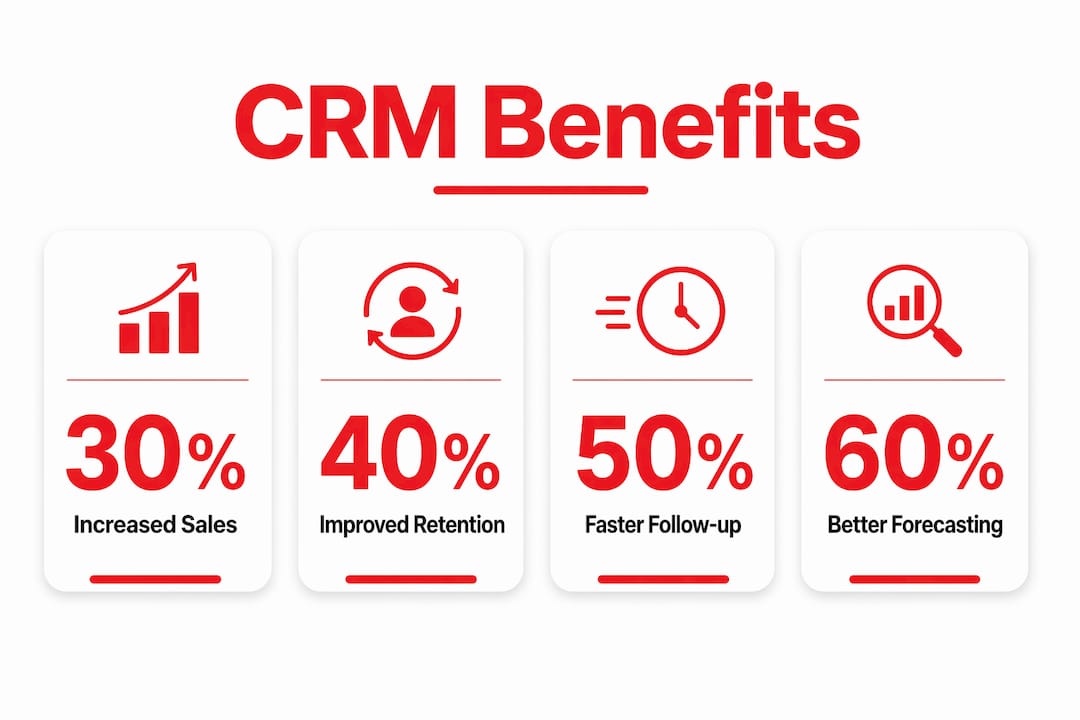
The importance of CRM in sales goes well beyond storing contact details. Used correctly, it changes how your entire team operates.
- Improved customer retention. A CRM tracks every interaction, so your team always knows the history before picking up the phone. Customers feel understood rather than processed, and that builds loyalty.
- Higher sales efficiency. CRM automation removes busy work from your reps’ days. Instead of logging calls manually or chasing colleagues for updates, they focus on conversations that close deals.
- Data-driven decision making. Consolidated customer insights let you identify which lead sources convert best, which products attract the most repeat business, and where deals are dropping out of your pipeline.
- Better lead prioritisation. A single source of truth spanning the entire sales journey means your team focuses effort on the highest-value opportunities rather than spreading attention equally across every enquiry.
- Cross-departmental collaboration. Sales, marketing, and customer service all work from the same data. A campaign run by marketing automatically feeds qualified leads into the sales pipeline, with no manual handoff required.
- Personalised communication at scale. Because the CRM holds full customer context, your team can tailor every message to the individual. That level of personalisation was previously only possible with small client lists.
“CRM reduces friction by enabling continuity across teams and automating workflow updates, preventing customers from repeating information and ensuring a consistent experience at every stage.” — ServiceNow
The cumulative effect of these benefits is significant. Businesses that treat their CRM as a live sales platform rather than a contact directory consistently outperform those that do not.
How does CRM software compare to spreadsheets?
Many small sales teams start with spreadsheets, and that is understandable. They are free, familiar, and flexible. But as your pipeline grows, spreadsheets create problems that cost you deals.
| Feature | CRM software | Spreadsheets |
|---|---|---|
| Data centralisation | Single shared database, updated in real time | Multiple files, version conflicts common |
| Workflow automation | Automated follow-ups, reminders, and lead assignment | All tasks managed manually |
| Pipeline visibility | Visual pipeline with stage-by-stage tracking | Rows and columns with no visual flow |
| Sales forecasting | Built-in reporting with live data | Manual calculations, prone to error |
| Team collaboration | All users see the same data simultaneously | Sharing and permissions are cumbersome |
| Scalability | Scales with your team and data volume | Becomes unmanageable beyond a certain size |
The practical difference shows up fastest in forecasting. A spreadsheet forecast is only as accurate as the last person who updated it. A CRM forecast reflects the current state of every deal, updated automatically as your team logs activity. For a sales manager trying to plan headcount or set quarterly targets, that distinction matters enormously.
Platforms like Salesforce and Zendesk also integrate directly with your email, calendar, and marketing tools. That means data flows in automatically rather than relying on manual entry, which is where spreadsheets consistently fail growing teams.
What challenges do sales teams face with CRM adoption?
CRM tools for sales teams are only as good as the data inside them. The most common failure is not a technology problem. It is a behaviour problem.
- Treating CRM as a contact book. Many teams use their CRM to store names and numbers but never build out pipeline stages or log activity consistently. The result is a system that cannot produce useful reports or forecasts.
- Inconsistent data entry. Incomplete or inconsistent data destroys the reliability of your CRM as a source of truth. If one rep logs “call made” and another logs nothing, your pipeline data becomes meaningless.
- Slow speed to insight. For smaller sales teams, the critical success factor is rapid access to pipeline status and reminders. If the CRM feels like extra work before it delivers value, adoption drops fast.
- Lead leakage from manual processes. Without automated workflow triggers, leads that come in outside business hours or through multiple channels often fall through the gaps. Automation captures them regardless of when or how they arrive.
- Lack of training and cultural buy-in. A CRM rollout without proper onboarding is a recipe for low adoption. Your team needs to understand not just how to use the system, but why it makes their job easier and their results better.
The fix for most of these challenges is standardisation. Define your pipeline stages, make key fields mandatory, and set up automated reminders so the system does the chasing rather than your managers.
Pro Tip: Measure CRM ROI by tracking the gap between leads entered and deals closed, then compare it month on month after implementing automation. If your conversion rate improves while admin time drops, your CRM is working. If not, the data quality or the process needs attention.
You can also explore how lead nurturing automation removes the manual burden of follow-up entirely, keeping every lead warm without your team lifting a finger.
Key takeaways
A sales CRM is the single most effective tool for turning a reactive sales process into a predictable, data-driven revenue engine.
| Point | Details |
|---|---|
| CRM is a system, not just software | It combines strategy, process, and technology to manage the full customer lifecycle. |
| Automation removes lead leakage | Automated workflows capture and follow up on leads across all channels without manual input. |
| Data quality determines CRM value | Standardised fields and consistent entry are non-negotiable for reliable forecasting. |
| Speed to insight drives adoption | Teams adopt CRM faster when it delivers visible pipeline clarity and reminders quickly. |
| CRM outperforms spreadsheets at scale | Real-time data, automation, and collaboration make CRM essential beyond small team sizes. |
Why I think most businesses are using their CRM wrong
I have worked with dozens of businesses across the UK, and the pattern is almost always the same. They invest in a CRM, spend time setting it up, and then use it as a glorified address book. The pipeline sits empty, the automation is never switched on, and six months later someone asks whether the subscription is worth renewing.
The problem is not the platform. Salesforce, Zendesk, and Microsoft Dynamics 365 are genuinely excellent tools. The problem is that most teams never define what “good” looks like inside their CRM. They have no agreed pipeline stages, no mandatory fields, and no process for what happens when a lead goes cold.
What I have found actually works is treating your CRM as a live sales meeting that never ends. Every deal should have a clear next action and a deadline. Every lead that comes in should trigger an automated sequence within minutes, not hours. And every manager should be able to open the dashboard on a Monday morning and know exactly where the team’s energy should go that week.
The businesses I see growing fastest are not necessarily using the most expensive CRM. They are using whichever platform they have chosen with genuine discipline. They have built effective CRM strategies around their actual sales process, and they review and improve those strategies regularly.
If your CRM is not saving your team time and surfacing clear priorities every single day, it is not a CRM problem. It is a process problem. And that is entirely fixable.
— Martyn
Ready to get more from your CRM?
At Bamsh, we help UK businesses build CRM systems that actually work. That means setting up automated pipelines that capture every enquiry, score leads, and follow up without your team having to remember to do it. We connect your CRM to your marketing, your website, and your sales process so that data flows in automatically and nothing slips through the gaps. If you are ready to turn your CRM into a genuine revenue tool, explore our guide to automating your lead follow-up and see how businesses are boosting conversions with smarter automation in 2026. Or take a look at our CRM and lead nurturing service to find out how we can build this for you.
FAQ
What does CRM stand for in sales?
CRM stands for Customer Relationship Management. In a sales context, it refers to the software, strategies, and processes used to manage customer data, track pipeline activity, and automate sales tasks to improve conversion rates and customer retention.
How does a CRM help a sales team day to day?
A CRM gives sales reps a clear view of their pipeline, automates follow-up reminders, and logs every customer interaction automatically. This means less time on admin and more time spent on conversations that move deals forward.
Is CRM software only for large businesses?
No. CRM platforms like Zendesk and Salesforce offer plans suited to small and medium-sized businesses. In fact, smaller sales teams often see the fastest return because centralised data and automated follow-ups replace processes that were previously done manually or not at all.
What is the difference between CRM and a sales pipeline tool?
A sales pipeline tool tracks deal stages and progress. A CRM does that and much more, including storing full customer history, automating communications, generating reports, and integrating with marketing and service teams. The pipeline is one feature within a broader CRM system.
How long does it take to see results from a CRM?
Most teams see measurable improvements in pipeline visibility and follow-up consistency within the first few weeks. Conversion rate improvements typically become visible within one to three months, once the system has enough data to surface reliable patterns and your team has built consistent habits around using it.
Recommended
- Unlock business growth with effective CRM strategies
- What is AI in CRM? A practical guide for businesses
- Benefits of CRM for SMEs: the small business guide