

TL;DR:
- A local business listing workflow is a systematic process for managing online business details to boost local visibility and attract customers. Regular audits, claiming verified listings, and optimising profiles with consistent NAP data and rich content ensure listings generate leads effectively. Small businesses often neglect ongoing management, risking outdated information, duplicates, and missed growth opportunities.
A local business listing workflow is the structured process small business owners use to create, claim, manage, and optimise their business details across online directories and platforms to boost local visibility and attract more customers. Think of it as your operating system for getting found online. Without a repeatable process, your details drift out of sync across Google My Business, Yelp, Apple Maps, and dozens of other directories. That inconsistency costs you customers. This guide walks you through every stage of the process, from setup to ongoing management, so your local business listings work as a genuine lead generation system rather than a forgotten afterthought.
What does a local business listing workflow actually involve?
The industry term for managing your presence across multiple directories is local citation management. Your local business listing workflow is the practical system that makes citation management repeatable and scalable. The two concepts work together. Citation management is the goal; the workflow is how you achieve it.
Before you touch a single directory, you need three things in place: a master profile document, the right tools, and a clear understanding of which platforms matter most for your business type.
Building your master profile document
Your master profile document is a single source of truth for all your business information. NAP consistency drives higher local search ranking and user trust. That means your business name, address, and phone number must be identical across every platform, character for character.
Your master profile should include:
- Business name (exactly as registered, no variations)
- Address (including postcode, formatted consistently)
- Phone number (with area code, same format everywhere)
- Website URL (use one canonical version)
- Business categories (primary and secondary)
- Opening hours (including bank holidays)
- Short description (150 words) and long description (750 words)
- Logo and cover photos (correct dimensions for each platform)
A reusable business profile packet saves significant time during submission and prevents the errors that creep in when you fill out forms from memory.
Which tools should you use?
For businesses managing one or two locations, a spreadsheet master document combined with manual updates works well. Beyond three to five locations, automation and API-driven workflows become necessary for efficiency and accuracy. The manual approach simply does not scale.
| Approach | Best For | Key Tools |
|---|---|---|
| Manual management | 1–2 locations | Google Sheets, Google Business Profile dashboard |
| Semi-automated | 3–5 locations | BrightLocal, Whitespark |
| Fully automated | 5+ locations | Yext, n8n, Google Business Profile API |
Pro Tip: Create a separate tab in your master document for each platform, noting the last update date and the login credentials location. This single habit prevents the most common cause of local business listing drift.
How do you execute the local business listing process step by step?
A clear, numbered process removes guesswork and makes the work repeatable. Here is the sequence that works.

Step 1: Audit your existing listings. Search Google, Bing, Yelp, Apple Maps, and Facebook for your business name. Note every local business listing you find, whether you created it or not. Change logs and QA processes help you track what exists and what needs fixing. Record the URL, current NAP data, and any errors in your master document.
Step 2: Claim and verify listings on key platforms. Start with Google Business Profile, then Bing Places, Apple Business Connect, Yelp, and Facebook. Claiming a local business listing on Google requires either a postcard, phone call, or video verification. Do not skip this step. An unclaimed local business listing can be edited by anyone, including competitors.
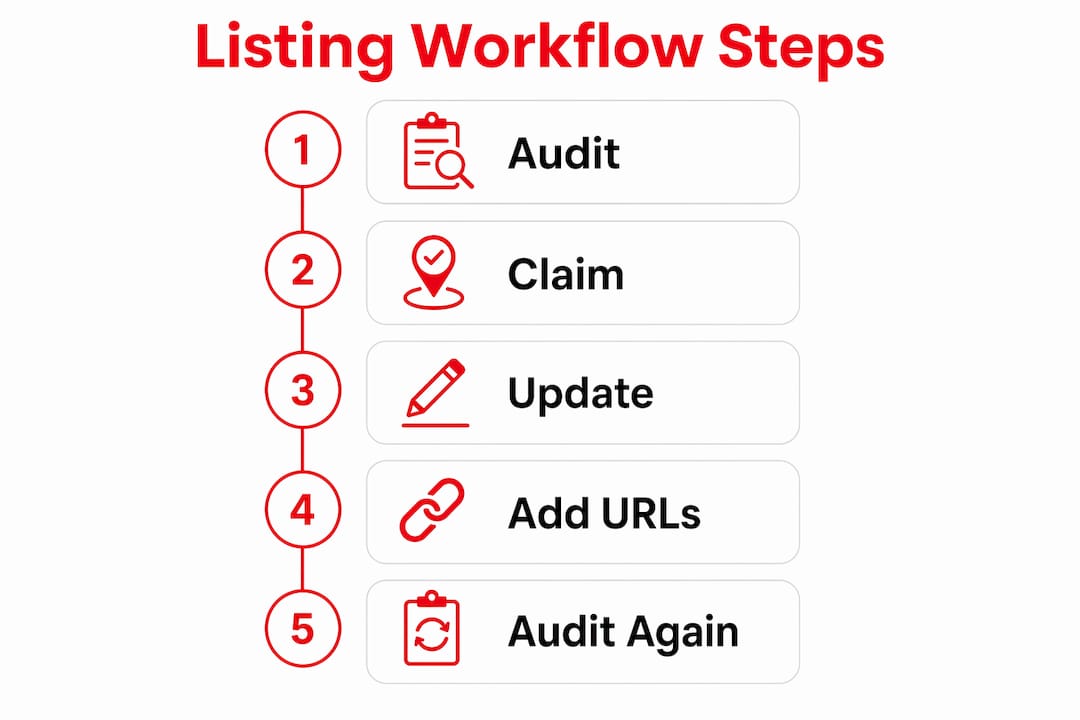
Step 3: Update with consistent NAP and rich details. Once verified, populate every field. Centralised management across Google Search and Maps improves consistency and engagement. Add photos, services, products, and your business description. Use your master document to copy and paste, never retype.
Step 4: Add trackable destination URLs. Primary CTAs such as “request a quote” significantly improve conversion from directories. Use UTM parameters on your website URLs so Google Analytics shows you exactly which directories send traffic and leads.
Step 5: Schedule regular audits. Set a calendar reminder every 90 days to check your top ten local business listings. Verify that hours, phone numbers, and descriptions are still accurate. Business details change. Your local business listings need to reflect that.
Pro Tip: Batch your directory submissions into groups of five to ten platforms per session. This prevents fatigue, keeps your data consistent, and makes it easier to track progress in your master document.
Here is a simple audit tracking table you can adapt:
| Platform | Claimed? | NAP Correct? | Photos Added? | Last Checked |
|---|---|---|---|---|
| Google Business Profile | ✅ | ✅ | ✅ | March 2026 |
| Bing Places | ✅ | ✅ | ❌ | March 2026 |
| Apple Business Connect | ❌ | N/A | N/A | March 2026 |
| Yelp | ✅ | ❌ | ✅ | March 2026 |
What are the common challenges in managing local business listings?
Every small business owner hits the same obstacles. Knowing them in advance means you can sidestep them rather than learn the hard way.
Duplicate listings are the most damaging problem. They split your reviews, confuse customers, and dilute your local search ranking. Google sometimes auto-generates local business listings from third-party data. When you find a duplicate, request a merge through the platform’s support process rather than simply deleting it, as deletion can sometimes remove genuine reviews.
Outdated information causes real customer friction. A wrong phone number or old address sends people to the wrong place. That experience does not just lose a sale; it generates a negative review. Regular audits for duplicates, errors, and outdated information prevent this from happening.
Inconsistent platform interfaces make bulk updates tedious. Each directory has its own verification process, its own photo specifications, and its own category taxonomy. A controlled publishing workflow with defined owners and QA cycles ensures changes propagate correctly.
Here is how to decide between manual and automated updates:
- Use manual updates when changing high-risk fields like business name, address, or primary category. These changes can trigger re-verification and need human oversight.
- Use automation for routine updates like seasonal hours, new photos, or post publishing across multiple locations.
“Treat your local business listing management like payroll. It runs on a schedule, it has an owner, and missing a cycle has real consequences.” This mindset shift is what separates businesses that grow through local search from those that stagnate.
How do you optimise business listings for lead generation and local SEO?
Getting your local business listings accurate is the foundation. Getting them to generate leads is the goal. Directories are lead generation channels, not just SEO placeholders. That distinction changes how you approach every field.
Here is what separates a listing that converts from one that just exists:
- Reviews with service mentions. Ask customers to name the specific service in their review. “Great experience with the boiler installation” is far more useful than “Great service.” It signals relevance to Google and to the next potential customer reading it.
- Location-specific descriptions. Including neighbourhoods served improves local relevance without keyword stuffing. Mention the areas you cover naturally within your business description.
- Google Posts. Use the Posts feature within Google Business Profile to share offers, events, and updates. Posts appear directly in your Knowledge Panel and give searchers a reason to act now.
- Photos updated quarterly. Listings with recent, high-quality photos receive significantly more direction requests and website clicks than those with outdated or stock imagery.
AI-powered search tools like ChatGPT, Gemini, and Perplexity increasingly pull business data from structured directory listings when answering local queries. AI search models rely on accurate and consistent listings as foundational data. This means your local business listing quality now affects your visibility in AI search results, not just Google Maps. You can read more about this shift in Bamsh’s guide on AI search and local business.
| Listing Element | Basic Approach | Optimised Approach |
|---|---|---|
| Business description | Generic overview | Location-specific, service-focused, CTA included |
| Photos | Logo only | Interior, exterior, team, and product shots updated quarterly |
| Reviews | Passive collection | Actively requested with service-specific prompts |
| Website URL | Homepage only | Trackable UTM URL pointing to relevant landing page |
| Categories | Primary only | Primary plus all relevant secondary categories |
For a deeper look at Google Business Profile tips, Bamsh has a dedicated resource covering the tactics that move the needle most.
Key takeaways
A well-executed local business listing workflow treats citation management as an ongoing operational system, not a one-off task, and that discipline is what drives consistent local search visibility and lead generation.
| Point | Details |
|---|---|
| Build a master profile document | Centralise all NAP data and descriptions to prevent inconsistencies across directories. |
| Claim and verify every listing | Unclaimed listings can be edited by third parties, putting your reputation at risk. |
| Use trackable URLs and clear CTAs | UTM parameters and “request a quote” prompts convert directory traffic into measurable leads. |
| Audit listings every 90 days | Regular checks catch duplicates, outdated hours, and errors before they cost you customers. |
| Treat listings as lead channels | Optimised descriptions, reviews with service mentions, and fresh photos turn listings into active sales tools. |
Why I think most small businesses are getting this completely wrong
I have worked with small business owners across the UK since 2012, and the pattern I see repeatedly is this: a business owner spends an afternoon setting up their Google Business Profile, maybe adds a couple of other directories, and then considers the job done. Six months later, their phone number has changed, their hours are wrong for the bank holidays, and they have three duplicate local business listings they did not know existed.
The uncomfortable truth is that local business listing management is not a project. It is a continuous process that requires the same discipline as your accounts or your stock management. The businesses I see winning in local search treat it exactly that way. They have a named owner for the process, a 90-day audit schedule, and a master document that gets updated every time something changes in the business.
The other mistake I see is treating directories as a box-ticking exercise for SEO. The moment you start thinking of Yelp, Apple Maps, and Google Business Profile as actual customer touchpoints, your approach changes entirely. You write better descriptions. You respond to reviews. You add photos that show real work. That shift in mindset is worth more than any technical trick.
If you are managing more than three or four locations, do not try to do this manually. The time cost is too high and the error rate is too significant. Invest in a tool or a service that handles the repetitive work, and spend your energy on the parts that require human judgement: the descriptions, the review responses, and the strategic decisions about which platforms to prioritise.
— Martyn
Let Bamsh handle your google business profile management
Getting your local business listings right takes time, consistency, and a process that most business owners simply do not have the bandwidth to maintain. Bamsh’s Google Business Profile management service takes the whole process off your plate. We claim, verify, optimise, and maintain your local business listings across key platforms, handle review management, and provide clear monthly reporting so you always know what is happening. If you want more calls, more direction requests, and more footfall from your local area without spending hours managing directories yourself, this is the service built for you. Boost your local business online with a team that has been doing this since 2012.
FAQ
What is a local business listing workflow?
A local business listing workflow is the repeatable process of creating, claiming, verifying, and maintaining your business details across online directories like Google Business Profile, Yelp, and Apple Maps to improve local search visibility and attract customers.
How often should i update my business listings?
Audit your top ten listings every 90 days and update immediately whenever your hours, phone number, address, or services change. Outdated information is one of the leading causes of negative customer experiences from local search.
What does NAP consistency mean and why does it matter?
NAP stands for name, address, and phone number. Consistent NAP data across all directories signals trustworthiness to search engines and directly improves your local search ranking.
When should i use automation for listing management?
Automation tools like Yext or BrightLocal become worthwhile once you manage more than three to five locations. For single-location businesses, a manual process with a well-maintained master document is sufficient.
How do business listings affect AI search results?
AI tools like ChatGPT, Gemini, and Perplexity increasingly pull structured data from business directories when answering local queries. Accurate, consistent listings improve your chances of appearing in AI-generated local recommendations.