
Most UK businesses lose revenue not because they lack leads, but because they fail to follow up quickly. Around 50% of leads are lost due to lack of timely follow-up, leaving money on the table. Automation solves this by ensuring instant, consistent communication with every prospect. This guide shows you how to set up automated lead follow-up workflows that increase conversions, reduce manual effort, and deliver measurable results for your business.
Table of Contents
- Prerequisites: What You Need Before Automating Lead Follow-Up
- Choosing The Right CRM And Automation Tools
- Stepwise Setup Of Automated Lead Follow-Up Workflows
- How To Personalise Automated Follow-Ups Effectively
- Monitoring And Measuring Automation Impact
- Troubleshooting Common Pitfalls And Failure Points
- Expected Results And Outcomes After Automation
- Boost Your Lead Follow-Up With Bamsh Digital Marketing Services
Key Takeaways
| Point | Details |
|---|---|
| Automation boosts conversions | Automated workflows can increase lead conversion rates by up to 30% within weeks of deployment. |
| CRM selection is critical | Choose tools with strong integration, GDPR compliance, and user-friendly automation features tailored to UK SMBs. |
| Personalisation outperforms generic messaging | Tailored follow-up sequences improve engagement by 15% compared to one-size-fits-all approaches. |
| Metrics drive improvement | Track open rates, click-through rates, and response times to refine workflows continuously. |
| Avoid common pitfalls | Generic messaging, GDPR non-compliance, and delayed triggers undermine automation effectiveness. |
Prerequisites: What You Need Before Automating Lead Follow-Up
Before you automate, lay the groundwork to ensure smooth implementation and compliance. Start by selecting a CRM system with automation capabilities. Popular options for UK SMBs include HubSpot, Zoho, and Pipedrive, all of which offer workflow builders and lead scoring.
You also need basic understanding of lead management and clear lead qualification criteria to segment prospects effectively. Define what makes a lead sales-ready versus one needing nurturing. This clarity prevents automation from wasting effort on unqualified contacts.
Data quality matters. Clean, accurate lead data ensures your automation triggers correctly and messaging stays relevant. Establish clear data governance policies to ensure GDPR compliance before you begin. This includes obtaining explicit consent, documenting processing activities, and enabling easy opt-outs.
Here’s what you should have in place:
- A CRM with automation and integration capabilities
- Defined lead scoring and qualification criteria
- Clean, well-maintained lead data
- GDPR-compliant consent and data protection policies
- Sales and marketing alignment on lead handoff processes
Pro Tip: Before going live, map your current manual follow-up process on paper. Identify where delays and inconsistencies occur. This highlights exactly where automation can deliver the most impact and helps you design workflows that replicate your best practices at scale.
Finally, secure buy-in from your sales team. Automation works best when everyone understands how it supports their work rather than replaces it. Schedule a brief training session to show how automated lead scoring and prioritisation will feed them better-qualified prospects faster.
Choosing the Right CRM and Automation Tools
Your CRM is the engine behind automation, so choose carefully. Look for platforms that integrate seamlessly with your existing marketing and sales tools like email, chat, and analytics. This avoids data silos and ensures a unified view of each lead’s journey.

Prioritise features that matter for UK SMBs: lead scoring, visual workflow builders, AI chatbots, and GDPR compliance tools. HubSpot offers user-friendly CRM with essential automation features and GDPR tools, making it ideal for businesses new to automation. Zoho CRM balances customization, AI chatbots, and cost ideal for growing SMBs, offering strong value without overwhelming complexity.
Ease of use is critical. A powerful CRM is useless if your team can’t navigate it. Choose tools with intuitive interfaces and minimal training requirements. Most modern platforms offer free trials, so test before committing.
| CRM Platform | Best For | Key Features | Pricing Model |
|---|---|---|---|
| HubSpot | Ease of use, new users | Free tier, automation, GDPR tools | Free to £800+/month |
| Zoho CRM | Customisation, AI | Workflow automation, chatbots, analytics | £12 to £40/user/month |
| Pipedrive | Sales focus, simplicity | Visual pipelines, lead scoring, integrations | £12 to £75/user/month |
| ActiveCampaign | Advanced automation | Email sequences, CRM, segmentation | £29 to £149/month |
Consider these factors when evaluating tools:
- Integration with your existing marketing tools and website
- Ease of building and editing workflows without technical expertise
- Built-in GDPR compliance features like consent tracking and data export
- Scalability to grow with your business without prohibitive cost jumps
- Quality of customer support and onboarding resources
Many UK SMBs succeed by starting with a free or low-cost tier and scaling up as automation proves ROI. This approach reduces risk and allows you to learn before investing heavily. Look for flexible pricing models that match your lead volume and team size.
Finally, check that your chosen platform supports multi-channel automation. Modern buyers interact across email, SMS, chat, and social media. A CRM that coordinates follow-ups across all channels delivers a consistent experience and higher conversion rates.
Stepwise Setup of Automated Lead Follow-Up Workflows
Building effective automation requires a structured approach. Phased implementation reduces errors and improves adoption rates, so take it step by step.
- Define compliance and sales requirements upfront. Document what GDPR consent you need, how leads should be scored, and when sales should receive alerts. This clarity prevents rework later.
- Select and configure your CRM and automation tools. Set up custom fields for lead source, behaviour tracking, and scoring. Integrate with your email platform, website forms, and chat tools.
- Establish lead scoring and prioritisation rules. Assign points based on actions like email opens, website visits, and form submissions. Define thresholds that trigger different workflows or sales alerts.
- Design personalised nurturing sequences with staged messaging. Create email templates for different lead segments and buyer journey stages. Space messages appropriately to build trust without overwhelming prospects.
- Test workflows for GDPR adherence and performance. Run test leads through your automation to verify triggers fire correctly, consent is recorded, and messaging feels personal. Fix any errors before launch.
- Launch automation with real-time triggers and monitor impact. Go live with a small segment first. Track performance closely for the first week and adjust based on data.
Pro Tip: Start with one simple workflow, like an immediate welcome email after form submission. Master this before adding complexity. Success with a basic workflow builds confidence and demonstrates value to stakeholders quickly.
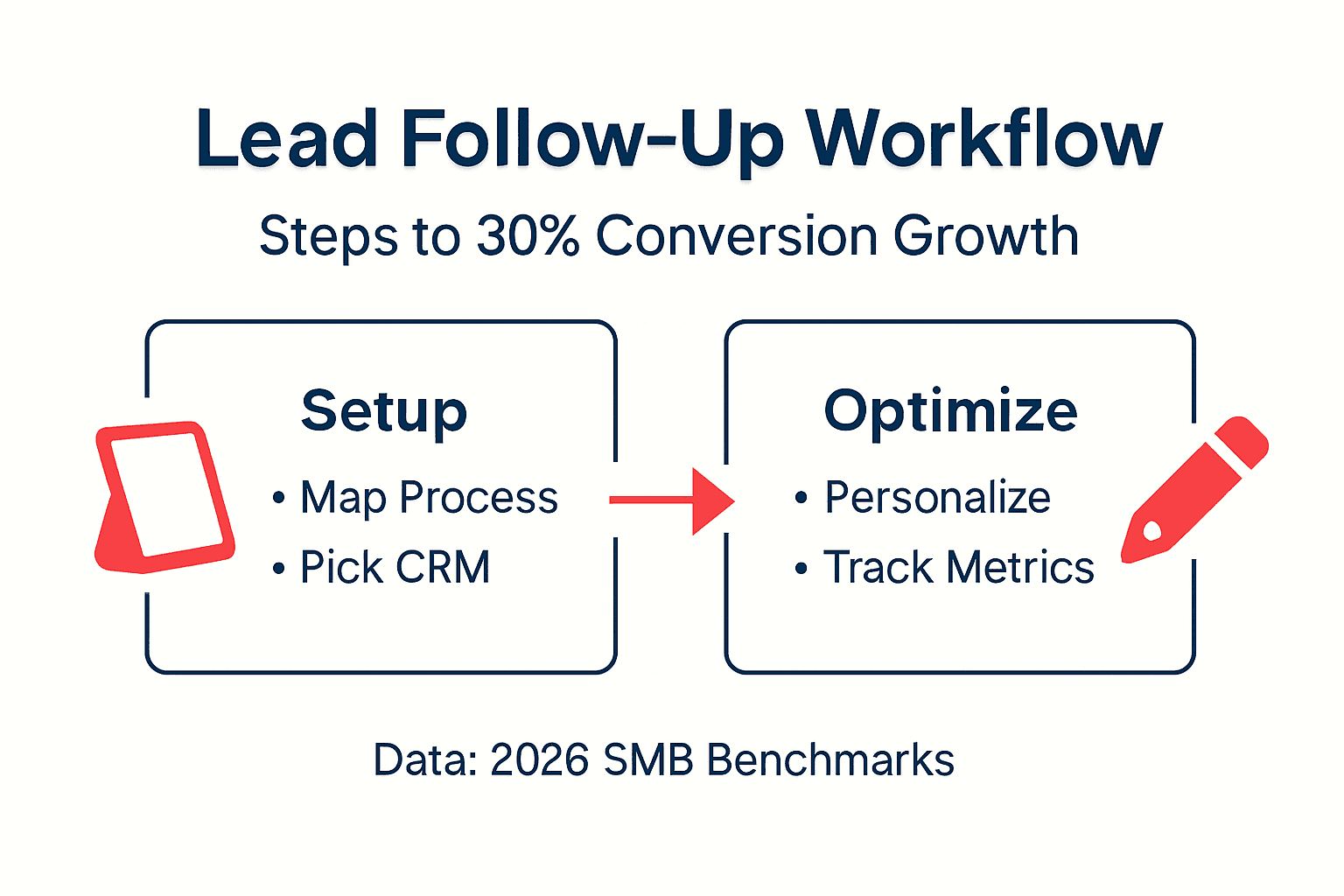
Each workflow should have a clear purpose and defined success metrics. For example, a welcome sequence aims to educate new leads and achieve a 40% open rate. A re-engagement workflow targets dormant leads and measures reactivation percentage. This specificity makes optimisation straightforward.
Document your workflows visually. Most CRMs offer flowchart builders that map triggers, conditions, and actions. These diagrams help team members understand automation logic and make updates easier. Keep workflows as simple as possible while achieving your goal.
How to Personalise Automated Follow-Ups Effectively
Generic automation kills engagement. Overly generic automation reduces engagement by 40%, while personalisation increases conversion by 15%. The difference lies in using lead-specific data to tailor messaging.
Start with behaviour-driven triggers instead of time-based sequences. If a lead downloads a pricing guide, send pricing-related follow-up immediately rather than waiting for a scheduled email. This relevance keeps prospects engaged.
Incorporate lead-specific data into every message. Use their name, reference the specific content they viewed, and acknowledge their business challenges based on form responses. Modern CRM platforms make this dynamic insertion easy with merge tags.
Create staged email sequences that build trust over time. Early messages should educate and provide value without selling. Later emails can introduce your solution as the natural answer to problems you’ve helped them understand. This progression feels consultative rather than pushy.
Avoid over-automation that removes the human touch. If a lead replies to an automated email, ensure a real person responds quickly. Set up alerts so sales reps can jump in when engagement signals buying intent. Automation should support conversation, not replace it.
Here are personalisation tactics that work:
- Segment leads by industry, company size, or pain point for targeted messaging
- Reference specific pages visited or content downloaded in follow-up emails
- Adjust messaging tone and complexity based on lead seniority or technical expertise
- Time emails based on past engagement patterns rather than arbitrary schedules
- Use conditional logic to branch workflows based on lead actions and preferences
The goal is to make every automated touchpoint feel like it was crafted specifically for that prospect. When done well, recipients won’t realise they’re in an automated sequence because the relevance and timing match their needs perfectly.
Monitoring and Measuring Automation Impact
Automation without measurement is guesswork. Tracking open, click-through, and conversion rates is essential to evaluate success and identify improvement opportunities.
Start with these core metrics:
- Open rates: Measure subject line effectiveness and email deliverability. Aim for 20% to 30% for cold leads, higher for engaged prospects.
- Click-through rates: Track how many recipients engage with content links. This reveals message relevance and call-to-action strength.
- Conversion rates: Calculate the percentage of leads that complete desired actions like booking calls or requesting quotes.
- Lead velocity: Measure how quickly leads move through your pipeline after automation is implemented.
- Response times: Track how fast automated messages reach leads after trigger events. Faster is always better.
| Metric | Good Performance | Improvement Action |
|---|---|---|
| Email open rate | 25% to 35% | Test subject lines, verify sender reputation |
| Click-through rate | 3% to 8% | Improve call-to-action clarity, simplify messaging |
| Lead-to-opportunity rate | 15% to 25% | Refine lead scoring, improve qualification criteria |
| Average response time | Under 1 hour | Check trigger delays, optimise workflow logic |
| Cost per converted lead | 30% to 40% reduction | Identify bottlenecks, eliminate unnecessary steps |
Set up dashboard views in your CRM that display these metrics at a glance. Review weekly to spot trends early. If open rates drop, investigate deliverability issues or subject line fatigue. If conversion rates plateau, test different messaging or offer variations.
Benchmark your performance against UK SMB industry standards. While results vary by sector, most businesses see measurable improvements within four weeks of launching automation. If you’re not seeing gains, dig into the data to find where leads are dropping off.
Use A/B testing to optimise continuously. Test one variable at a time like subject lines, send times, or call-to-action wording. Let tests run until you have statistically significant results before implementing changes broadly. Small improvements compound over time.
Finally, track ROI by comparing automation costs against revenue from converted leads. Most UK SMBs achieve positive ROI within three months as conversion rates improve and manual effort decreases. Document these wins to justify ongoing investment and expansion.
Troubleshooting Common Pitfalls and Failure Points
Even well-designed automation can fail if you miss critical details. Here’s how to avoid the most common mistakes.
Overly generic messaging kills engagement. If your emails could apply to any business, they will perform poorly. Generic messages reduce engagement by 40% compared to personalised alternatives. Fix this by segmenting leads and tailoring content to their specific challenges and interests.
GDPR non-compliance creates legal risk. Ignoring GDPR compliance can cause severe legal risks, including fines up to 4% of annual revenue. Ensure every automated workflow includes consent verification, easy opt-out mechanisms, and proper data handling documentation. When in doubt, consult ICO guidelines.
Delayed triggers ruin the automation benefit. If your workflow takes hours to send the first follow-up, you’ve lost the advantage. Set triggers to fire immediately after form submissions or behaviour signals. Test thoroughly to confirm timing is correct.
Poor data quality undermines accuracy. Automation is only as good as the data feeding it. Duplicate records, outdated information, and missing fields cause workflows to misfire. Implement regular data cleaning and validation processes to maintain quality.
Lack of testing before launch causes embarrassment. Always run test leads through new workflows before activating them for real prospects. Check that personalisation tokens populate correctly, links work, and conditional logic branches as intended. A single typo or broken link damages credibility.
Here are additional pitfalls to watch for:
- Sending too many emails too quickly, overwhelming leads and triggering unsubscribes
- Failing to update workflows when products, pricing, or messaging changes
- Not coordinating automation with sales team processes, causing confusion
- Ignoring mobile optimisation, leading to poor experience on smartphones
- Setting unrealistic expectations for immediate results instead of allowing ramp-up time
When problems arise, isolate the issue systematically. Check trigger conditions, review recent workflow changes, verify data quality, and test message rendering across devices. Most issues trace back to configuration errors or data problems rather than platform limitations.
If engagement drops suddenly, review your messaging for signs it’s becoming too generic. Refresh content regularly to keep it relevant and valuable. Automation should feel helpful, not robotic.
Expected Results and Outcomes After Automation
When implemented correctly, automated lead follow-up delivers measurable improvements quickly. Lead conversion rates can improve by up to 30% within weeks as response times shrink and consistency increases.
Response time improvements are often immediate. Manual follow-up that took hours or days drops to minutes or seconds with automation. Most UK SMBs see average response times fall from over 24 hours to under one hour, significantly boosting engagement.
Cost reductions follow as automation handles repetitive tasks previously requiring manual effort. Many businesses report costs dropping by 30% to 35% as staff focus on high-value activities like closing deals instead of sending routine emails.
Expect these outcomes:
- Faster lead qualification and prioritisation, helping sales focus on best opportunities
- Higher lead-to-opportunity conversion rates as no prospect falls through cracks
- Improved customer experience through consistent, timely communication
- Better data insights as automation tracks every interaction automatically
- Increased revenue with the same or smaller team size
Timelines vary by business size and complexity. Simple workflows deliver results within two weeks. More sophisticated automation with multiple touchpoints and conditional logic may take four to six weeks to show full impact.
The key is consistent execution and continuous optimisation. Early wins build momentum and justify expanding automation to additional workflows and channels. Most successful UK SMBs start with email follow-up, prove ROI, then add SMS, chat, and social media automation.
Remember that automation amplifies what you’re already doing. If your messaging and offers resonate, automation will multiply results. If they don’t, automation will simply deliver poor results faster. Use the data from automation to refine your approach continuously.
Boost Your Lead Follow-Up with Bamsh Digital Marketing Services
Ready to implement automated lead follow-up but need expert guidance? Bamsh Digital Marketing specialises in helping UK SMBs build automation that actually works. We handle everything from CRM setup and lead nurturing to PPC campaigns that feed your automation with high-quality leads.
Our approach is transparent and results-driven. We’ll show you exactly what we’re building, why it matters, and how it impacts your bottom line. No jargon, no long-term lock-ins, just clear strategies that deliver measurable growth.
Whether you need a simple email sequence or a comprehensive AI Lead Engine that combines automation with multi-channel marketing, we’ve got you covered. Most clients are live within a week and see improvements within a month. Book a free 15-minute consultation to discuss your specific needs and discover how automation can transform your lead follow-up process.
FAQ
How quickly can I see results from lead follow-up automation?
Most UK SMBs notice improved response times within days of launching automation. Increased conversion rates typically appear within two to four weeks as workflows optimise and data accumulates. Initial setup takes one to four weeks depending on complexity and existing systems.
Is automation suitable for small UK businesses with limited budgets?
Absolutely. Many CRM platforms offer free tiers and scalable pricing designed specifically for SMBs. Automation reduces manual costs significantly, often delivering positive ROI within three months. Start small with basic workflows and expand as results justify investment.
How do I ensure GDPR compliance while automating follow-ups?
Incorporate GDPR checks into every workflow by verifying consent before sending messages, providing clear opt-out options, and maintaining detailed processing records. Use CRM tools with built-in compliance features. Consult ICO guidelines regularly and update policies to reflect current regulations.
What are the common mistakes to avoid when automating lead follow-up?
Avoid generic messaging that feels impersonal, as it reduces engagement substantially. Don’t neglect real-time triggers, which cause delays that undermine automation benefits. Maintain clean data and strict GDPR compliance. Test thoroughly before launch and monitor performance continuously to catch issues early.